Quote it. Job‑card it. Invoice it.
One system for the whole job — the car arrives, the work gets done, the money lands. R799 a month for the entire workshop.
14 days free · the demo opens instantly, no signup
Who it is for
Built for the counter, not the accountant.
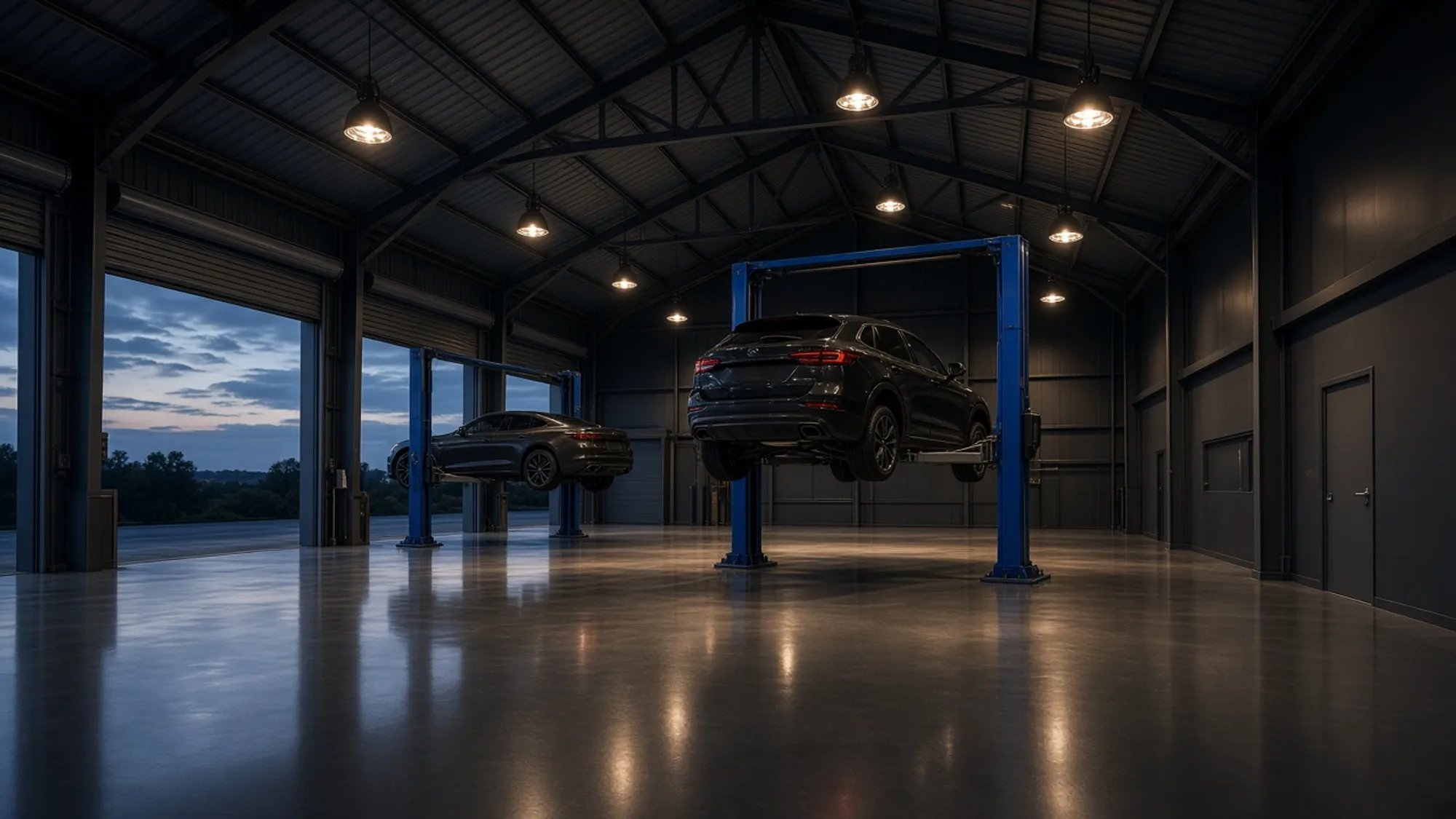
This is the software the front desk runs on — quoting, invoicing, chasing, booking. The difference is that it was written with a workshop, so it knows a job starts with a plate at the counter and a car on the lift, and has to be priced before the bonnet closes.
Why it is different
Written for a workshop, not adapted for one.
Accounting software doesn't know what a car is
Everything files against the registration — VIN, odometer, and every job you have ever done to it. Walk up to a car you last saw two years ago and know what went in.
Your technician doesn't need prices
The same job prints as a job card for the bench: parts to tick off, room for notes, the odometer, and not one rand anywhere on it.
It already speaks South African
Rand, 15% VAT held on each document, your EFT details printed on the invoice, and a deposit request when the job needs one.
The honest comparison
Why not just use what you have?
Because the job has two halves. Your accountant’s software handles the money and knows nothing about the car. The American shop systems handle the car and know nothing about a rand.
| Capability | Accounting software | Overseas workshop software | Upshift |
|---|---|---|---|
| Quotes and tax invoices | Yes | Yes | Yes |
| The car on file — plate, VIN, odometer, every job ever done to it | No | Yes | Yes |
| A job card for the bench with no prices on it | No | Yes | Yes |
| Parts on the shelf, and oil by the litre in the drum | No | Yes | Yes |
| Rand, 15% VAT, and your EFT details on the document | Yes | No | Yes |
| What it costs, printed on the website | Yes | No | Yes |
| Open it right now, without booking a demo | Yes | No | Yes |
Checked in September 2026 against the published websites of Xero, QuickBooks, Sage, FreshBooks, Shopmonkey, Tekmetric, AutoLeap and Fullbay. Every one of the workshop systems asks you to book a demo before it will tell you the price.
Quotes
Ask for the deposit up front
Half before work starts, or a fixed amount. The quote shows what is due now, what is left, and your banking details right beside it.
Accepted? One button turns the quote into an invoice — same lines, same car, same numbers.
Open this quote in the demo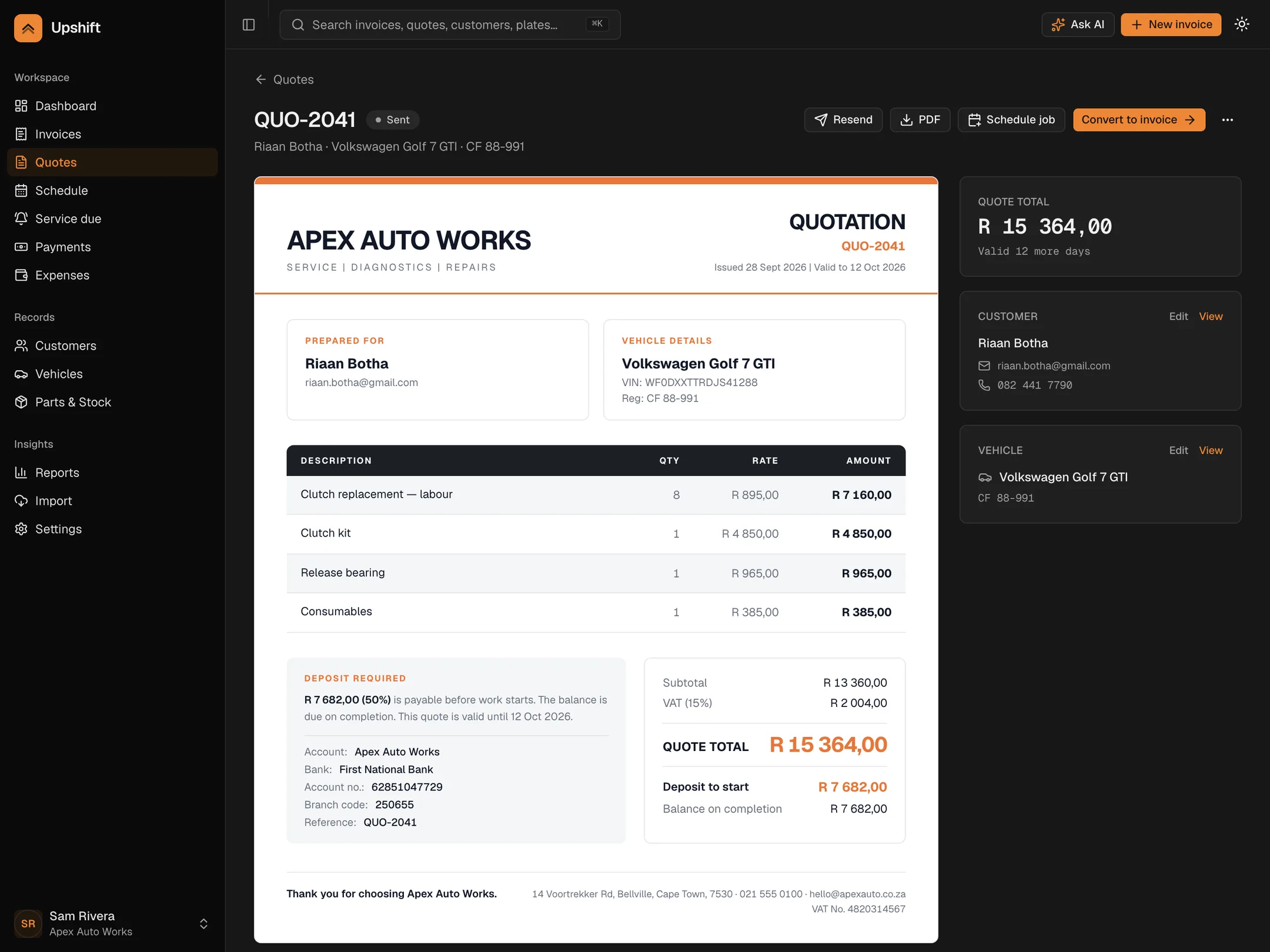
Invoicing
Pick the car. The rest fills itself in.
Owner, plate and odometer arrive with the vehicle. Then build the job — labour, parts, oil by the litre, a package, a discount.
Add a part from stock and it comes off the shelf as you type it.
Build one in the demo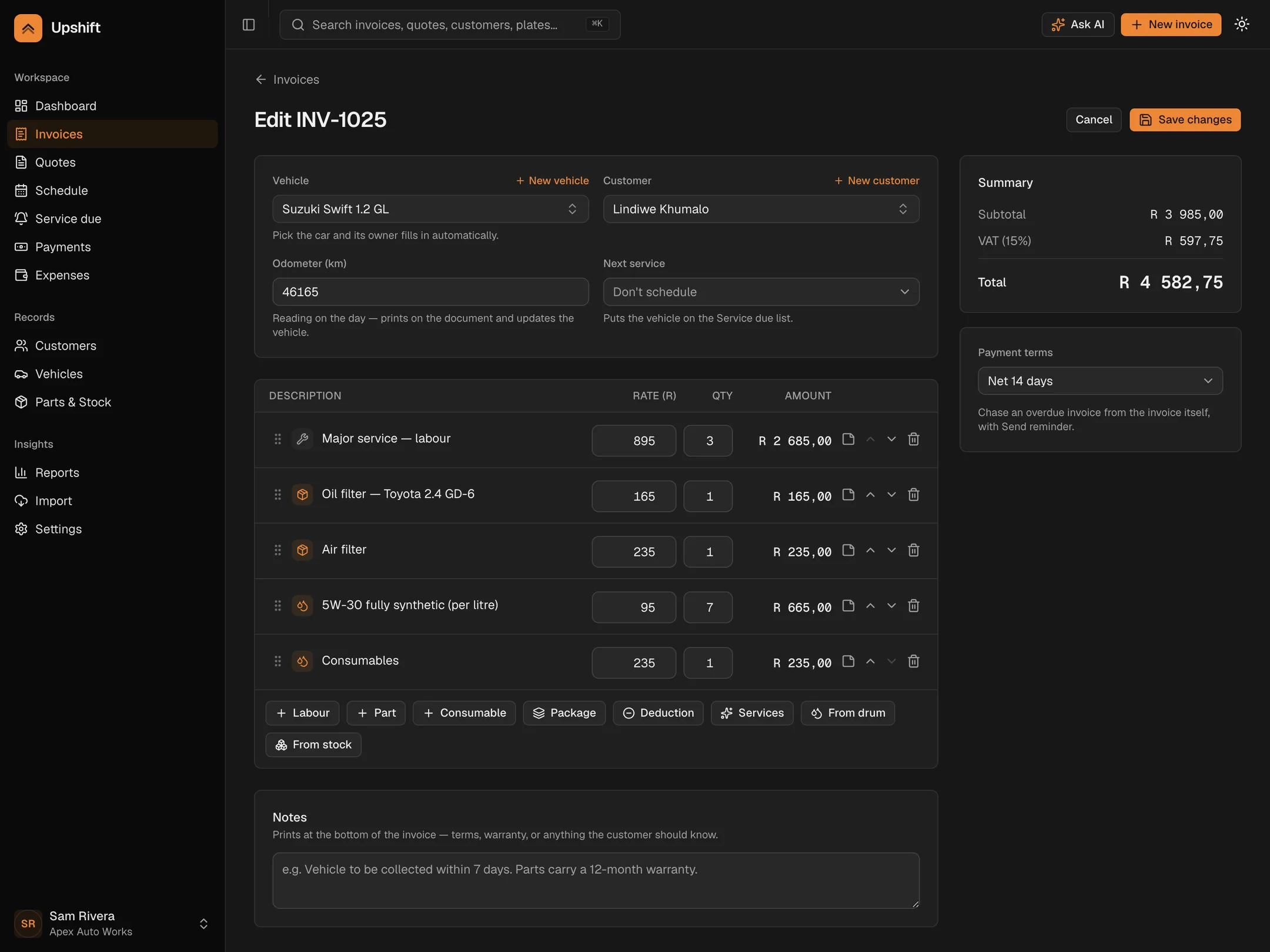
Every other workshop system makes you book a demo. This one opens in one click.
Getting paid
Know the moment they open it
Every invoice you send is tracked. Delivered, opened, part-paid, days late — all on one line, so a follow-up call is informed instead of awkward.
Chasing stays your decision. Press Send reminder and the invoice records when it was last chased.
See the list in the demo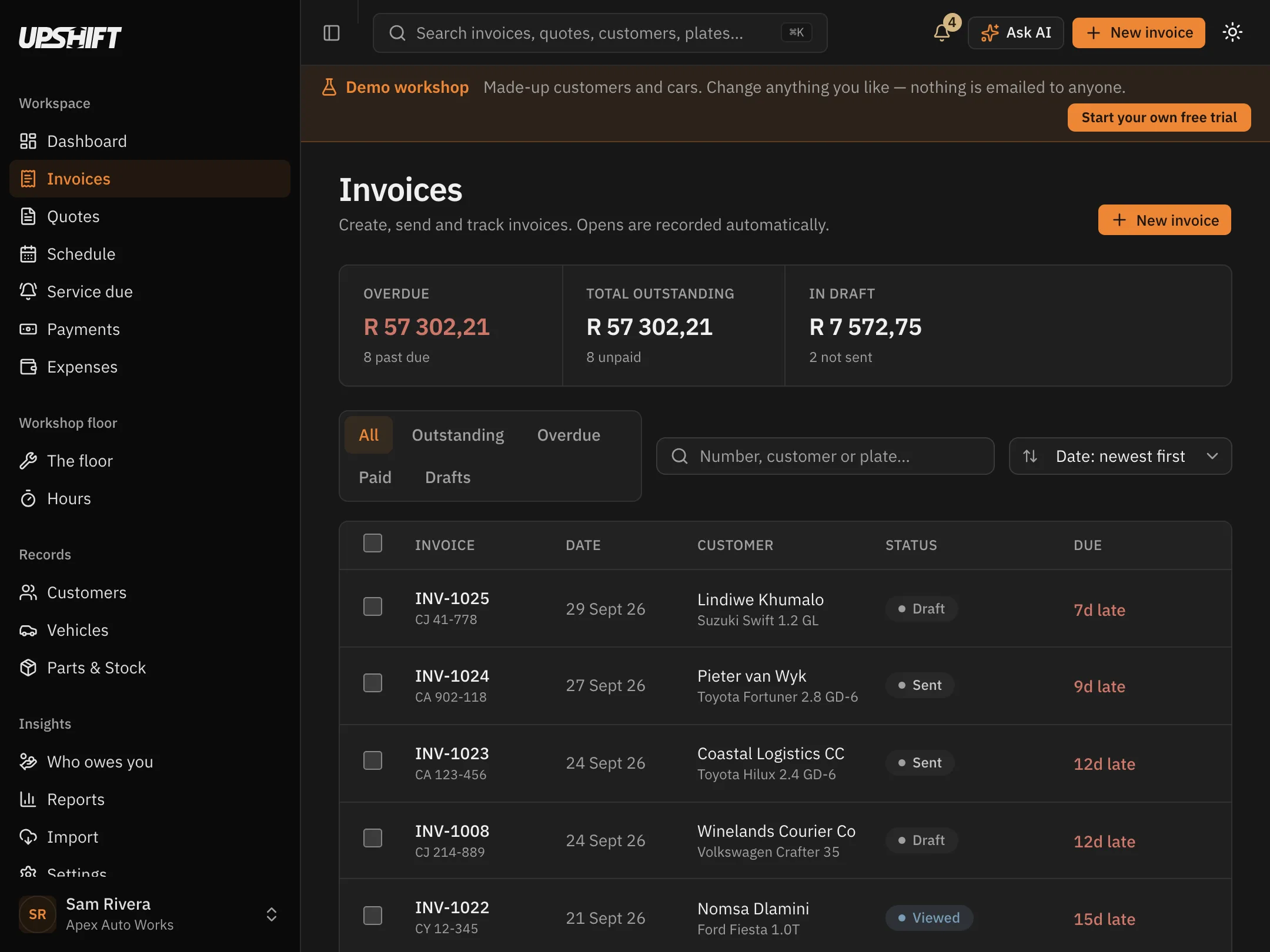
On the floor
The bench gets a job card, not an invoice
Print the job without a single price on it: parts to tick off, the odometer, blank lines for what the technician actually found, and a signature block.
More on job cards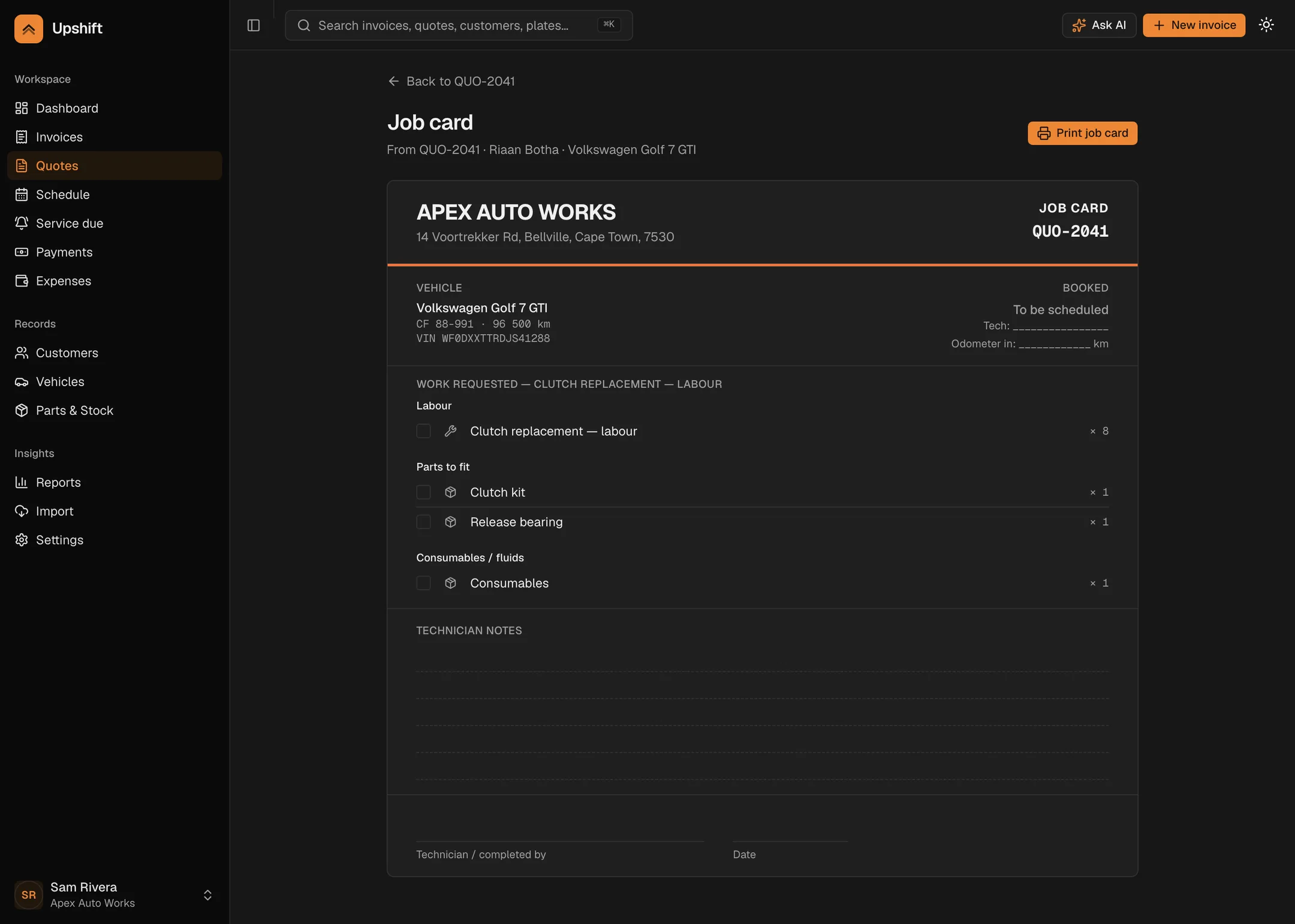
Vehicles
Every car, its whole history
Registration, VIN, colour, year and odometer, with every job ever done to it and what the owner has spent — on one page.
Search by number plate from anywhere in the app.
Open a car in the demo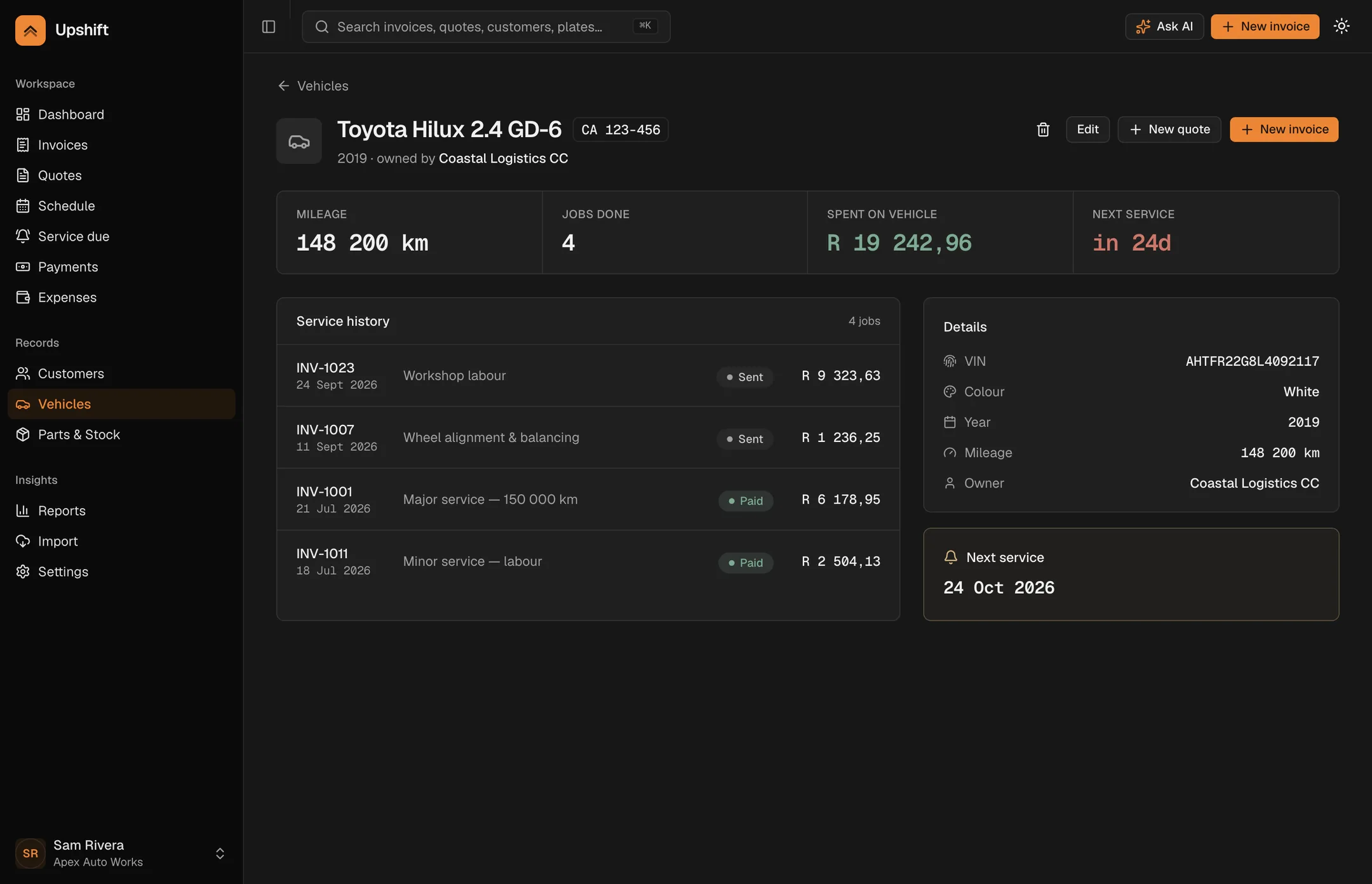
R799 a month, whole workshop, 14 days free.
Everything above happens at the counter.This happens at the car.
Send an accepted quote to a mechanic instead of printing a job card. He picks it up on a tablet, starts the clock when he gets to the car, works through your checklist, and finishes. You see all of it from the front.
A separate module, not a higher tier — R400 a month on top of the R799 plan. Nothing in the invoicing is held back to sell it to you, and if you do not run a floor you never see it.
On the floor
His jobs, on his tablet
The job appears the moment you send it. He accepts it, and the clock starts when he actually starts — not when the job was booked. Stopping for lunch, or handing a car over to someone else at four, is one tap.
The running clock sits at the bottom of every screen, because the expensive mistake is the one left running overnight.
Open the demo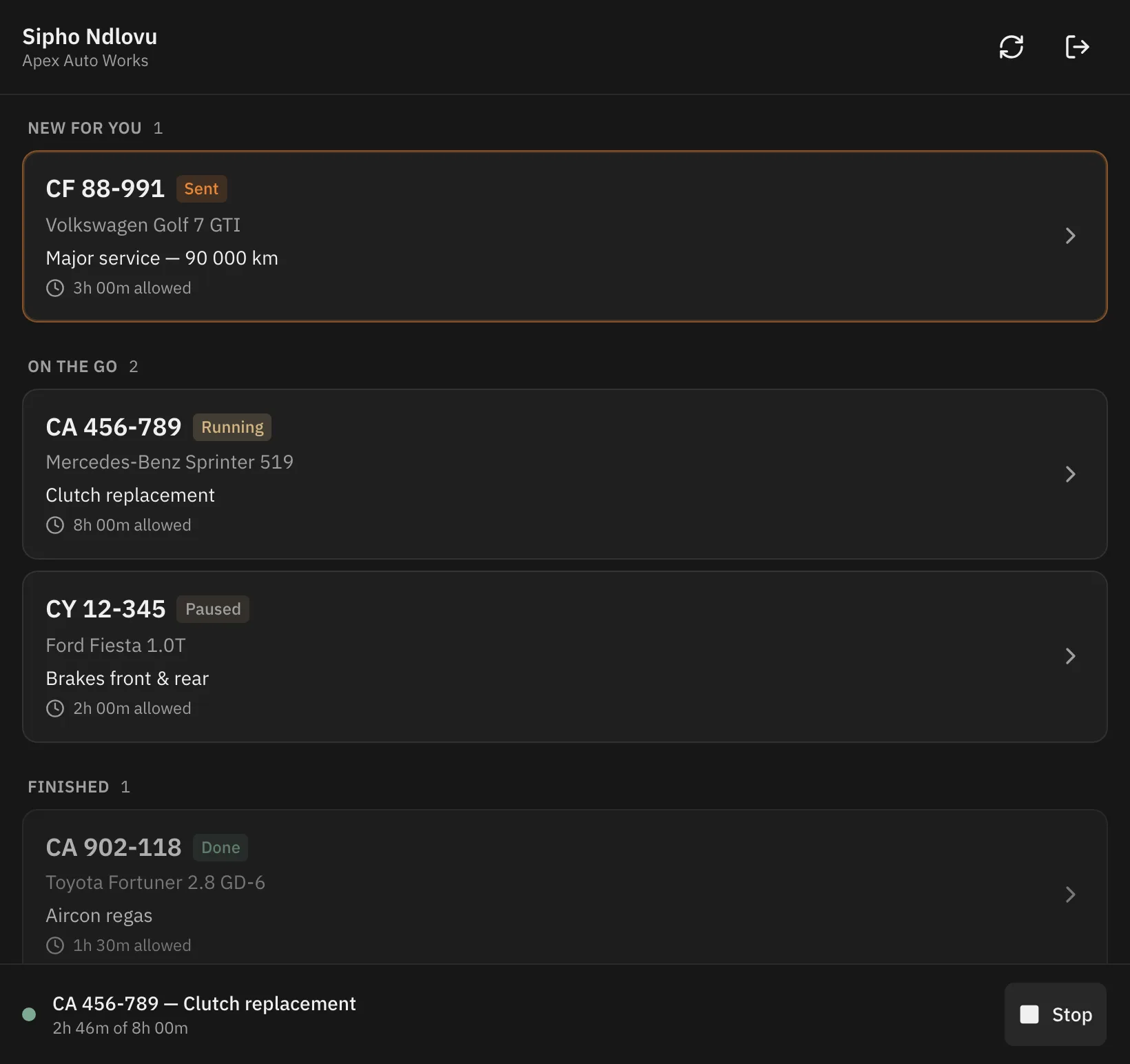
Checklists
The same checks on every car
Write your checklist once, in the order the car goes up — ground level, then halfway, then max. Every job gets its own copy, so changing it next month never rewrites what somebody signed last month.
Anything flagged gets a note and a photo, taken on the tablet and attached to the job.
Write one in the demo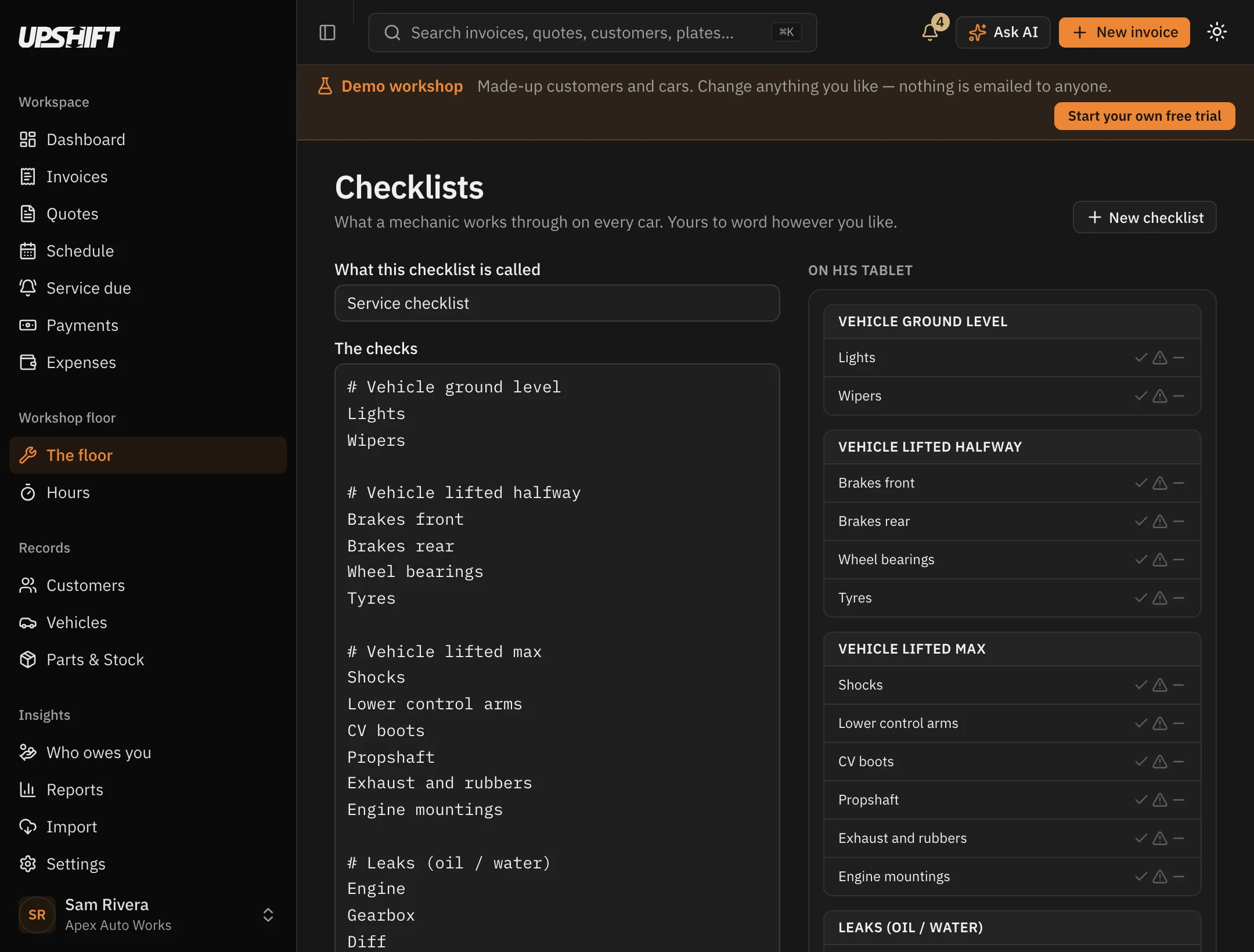
From the front
Who is on what, and whether it is running late
One screen for the floor: every mechanic, the car they are on, which lift it is on, and how the time is tracking against what the job was sold as taking.
Over the allowed time, the mechanic has to say why before he can finish — and you accept it or you don't. The hours never change either way.
See the floor in the demo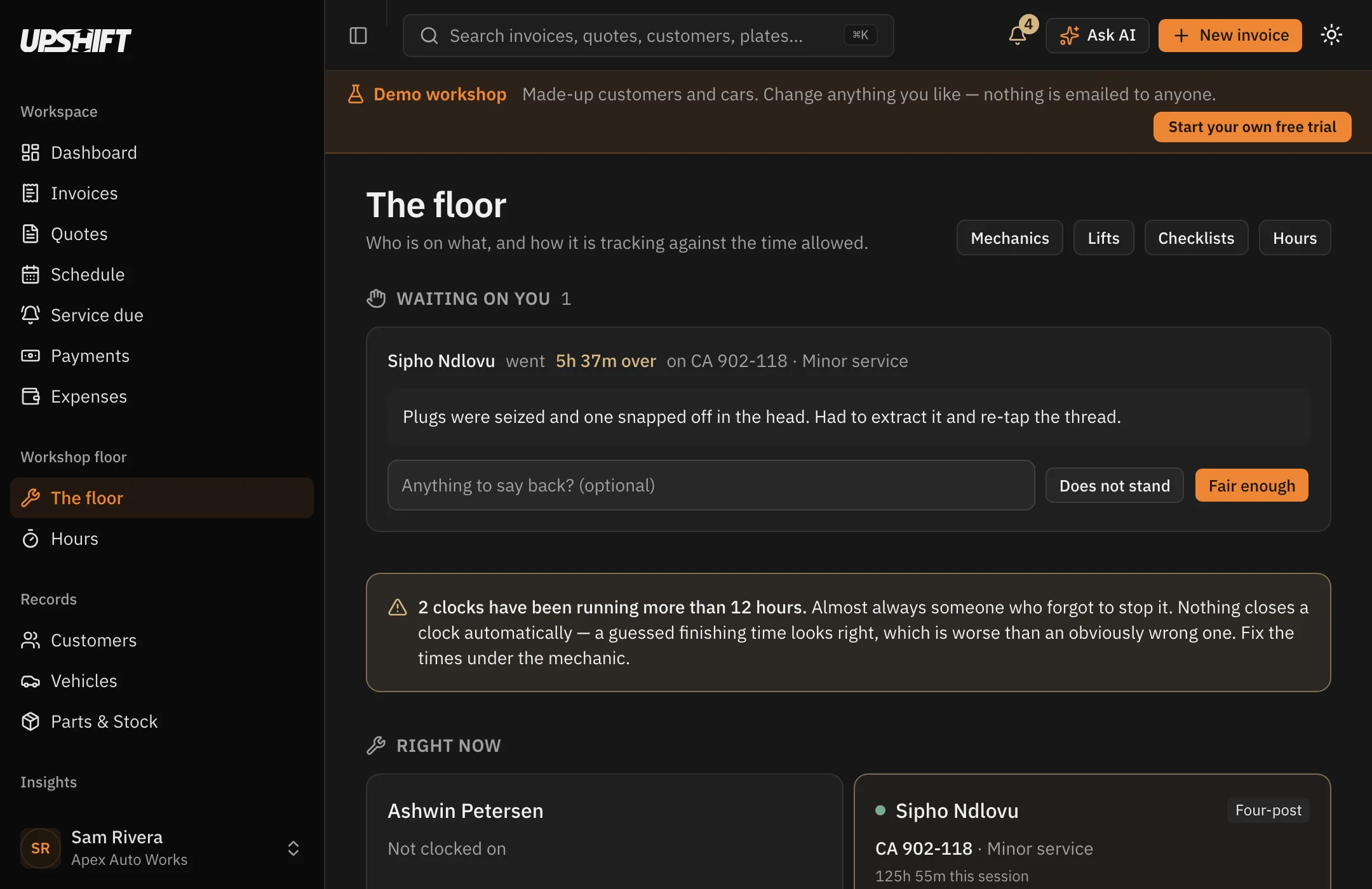
Repeat work
Bring them back — by date or by kilometres
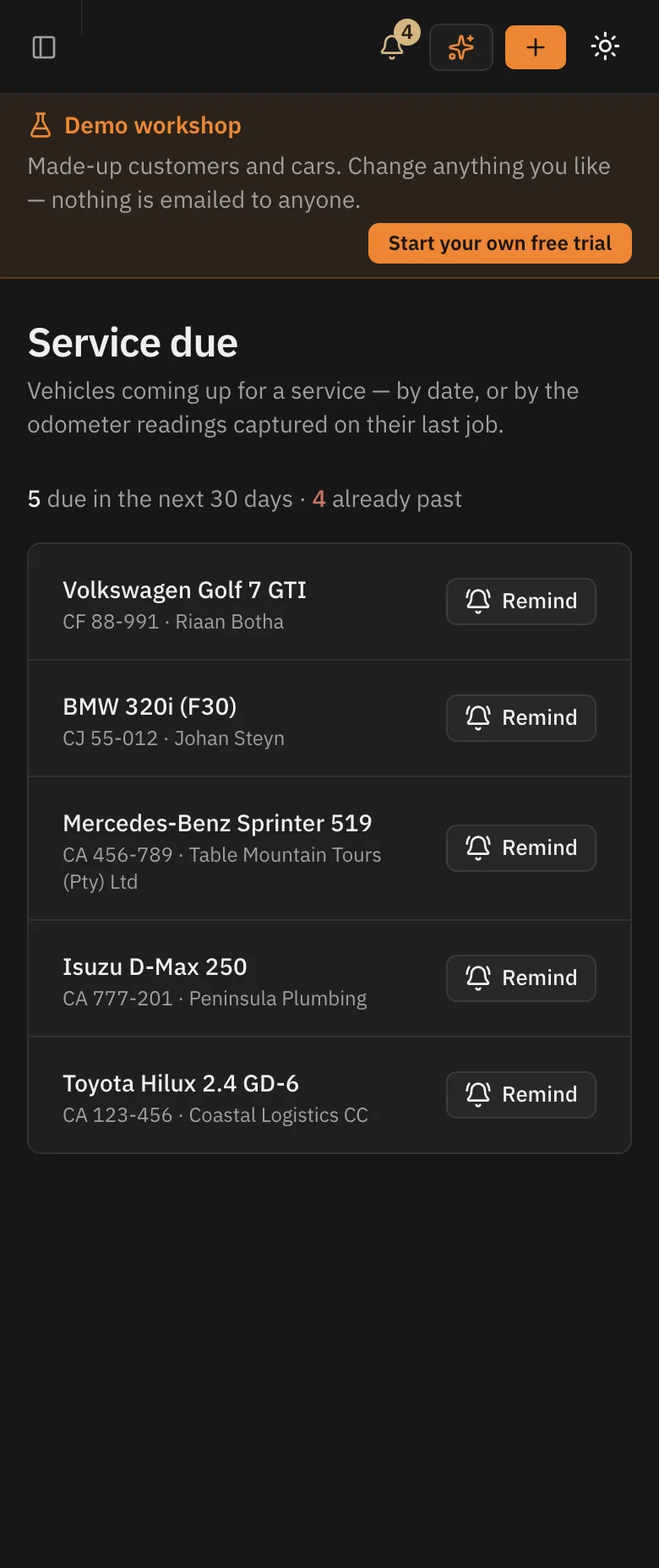
Upshift watches how fast each car is actually driven and works out when the next service is due, then emails the owner in your name and your colours.
Off until you switch it on. The day it starts emailing your customers should be your decision.
How reminders work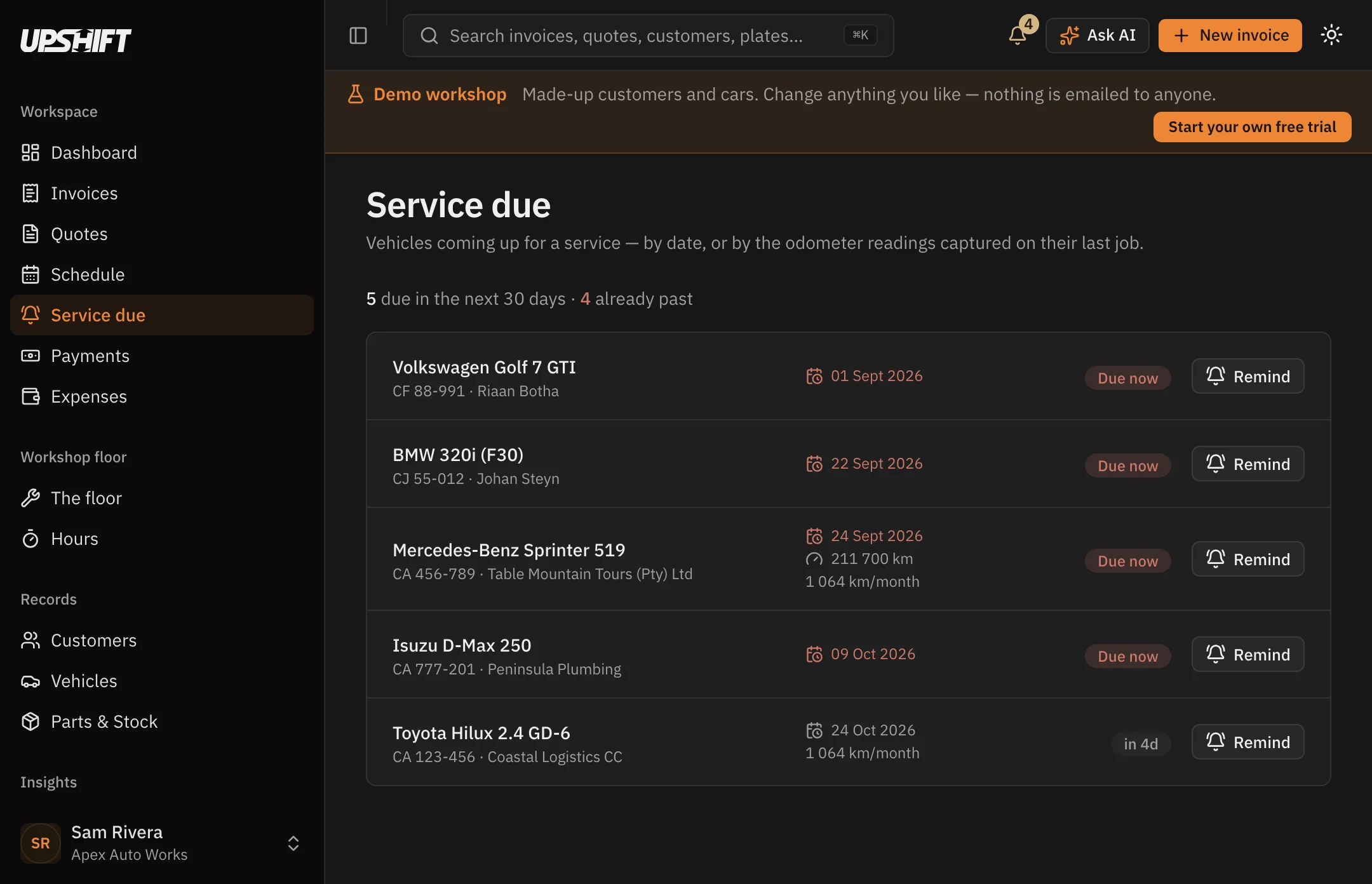
Parts & stock
Stock that keeps itself honest
Parts come off as jobs complete, oil is tracked by the litre in the drum, and you get told before you run out halfway through a service.
Below reorder level? Turn the shortfall into a purchase order in one click.
Check the stock in the demo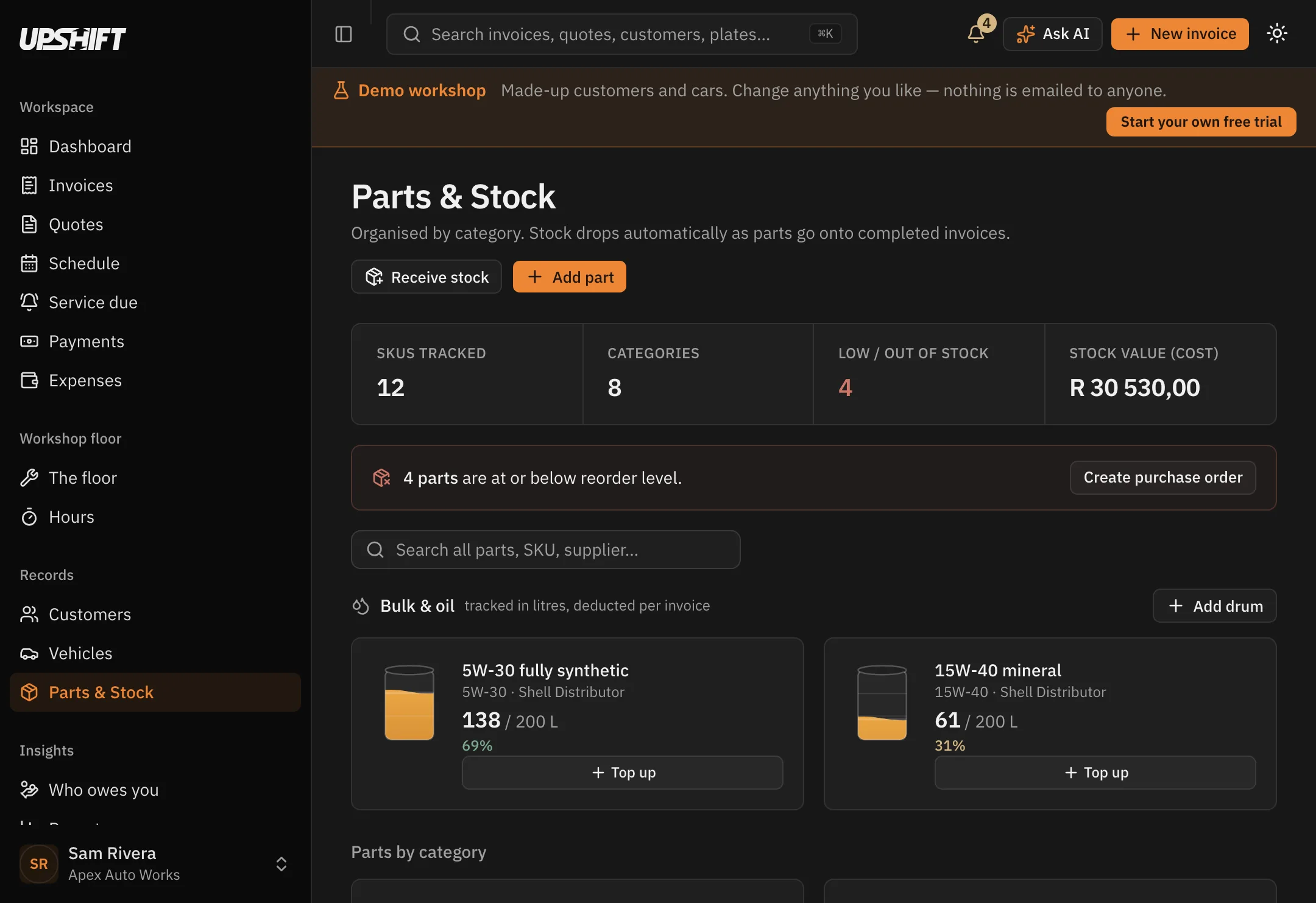
The numbers
What you are owed, right now
Invoiced, collected, expenses and what is left — for any period you choose. Aged receivables, top customers and your VAT position underneath.
See every report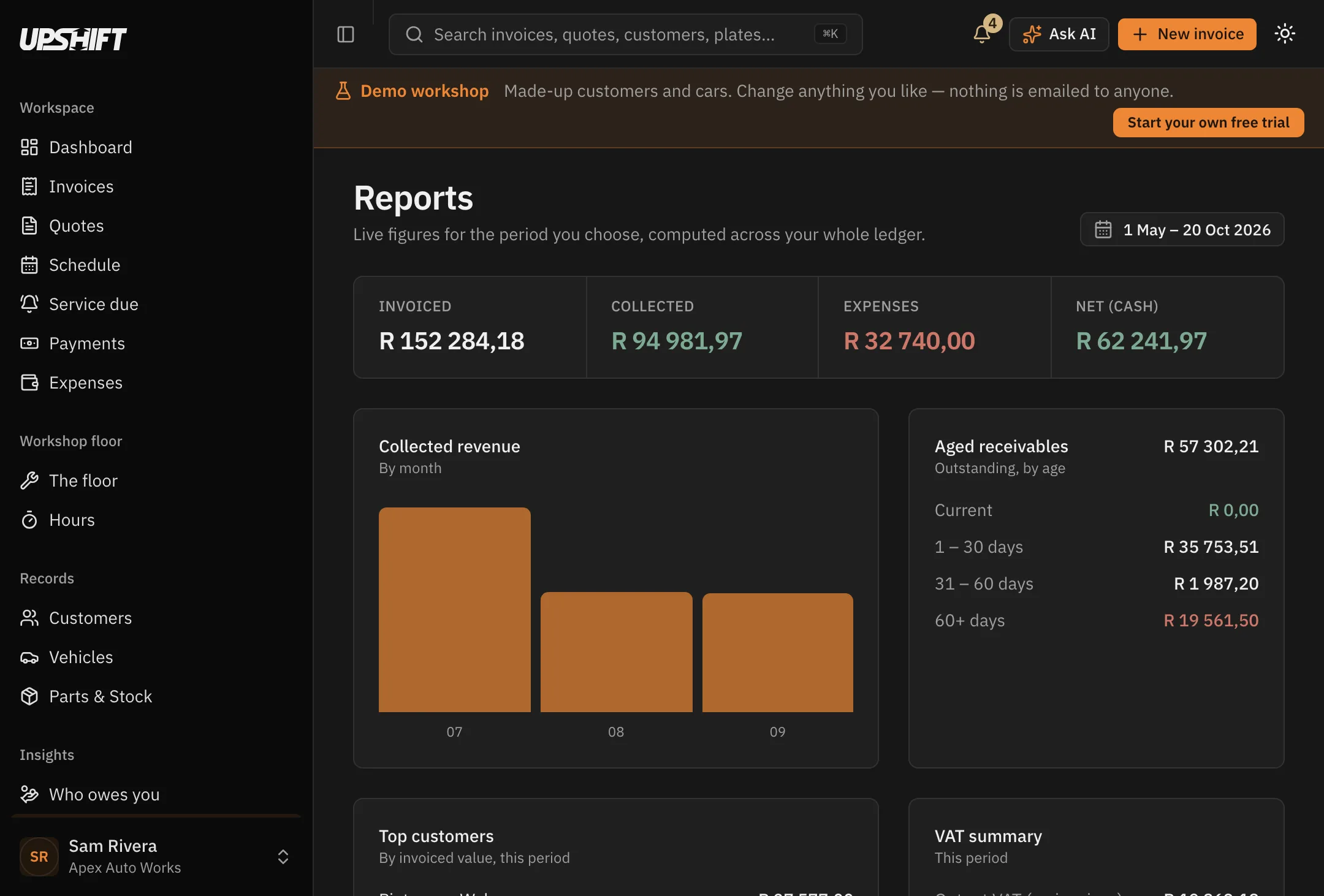

The work
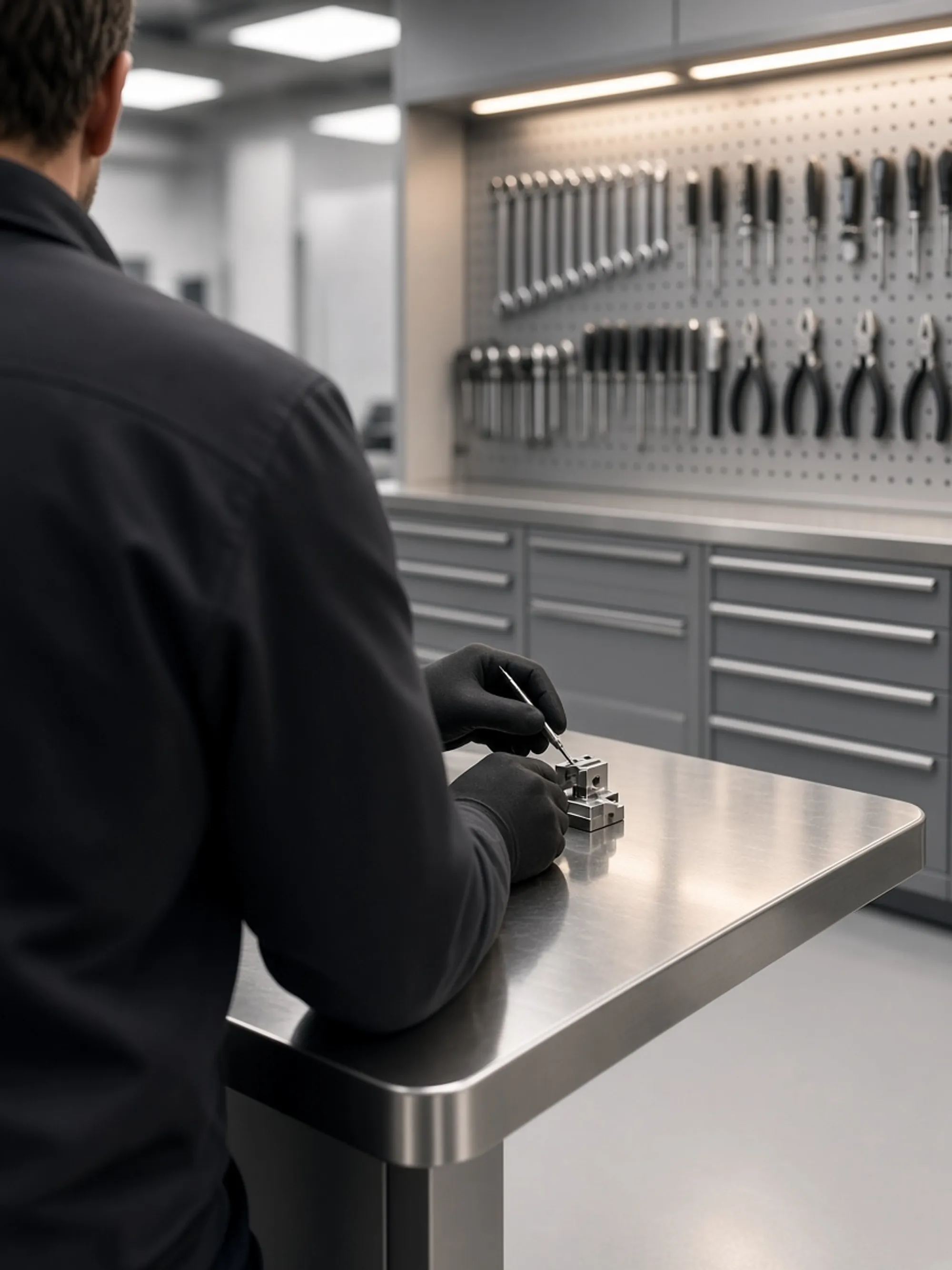
One job, from the bay to the bank.
The car comes in, the work gets quoted, the bench gets its card, the parts come off the shelf and the invoice goes out the same afternoon. Upshift holds all of it against the registration, so nothing has to be typed twice.
Anywhere
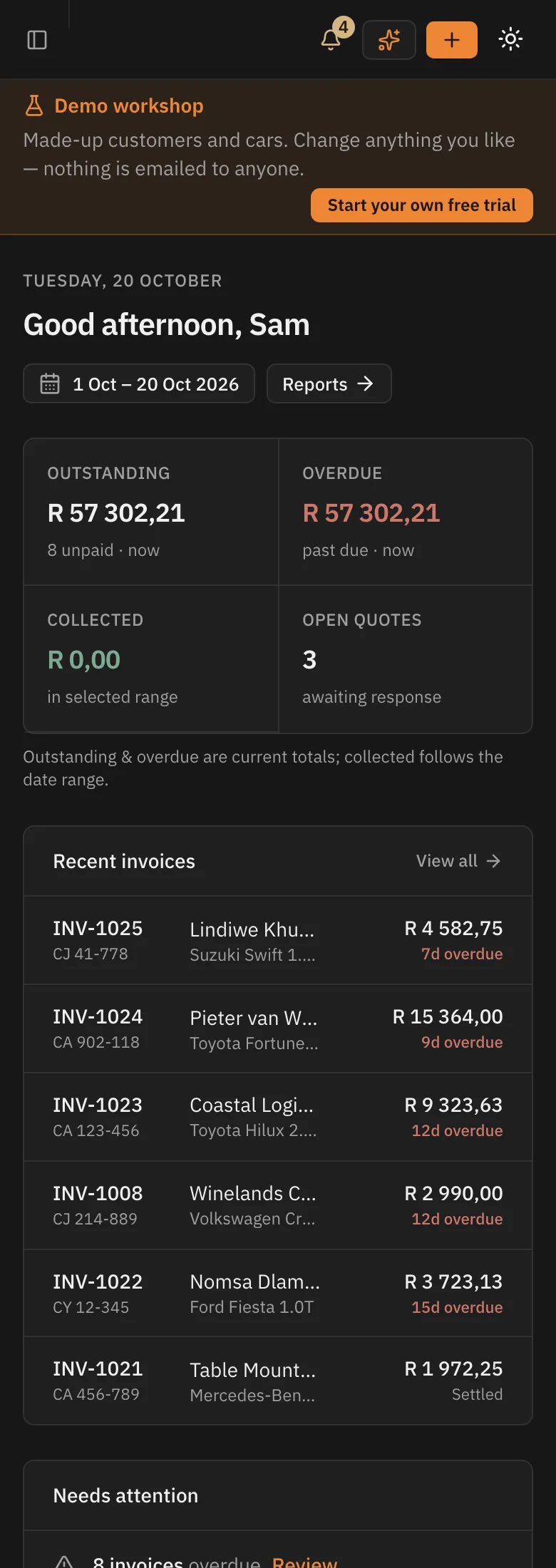
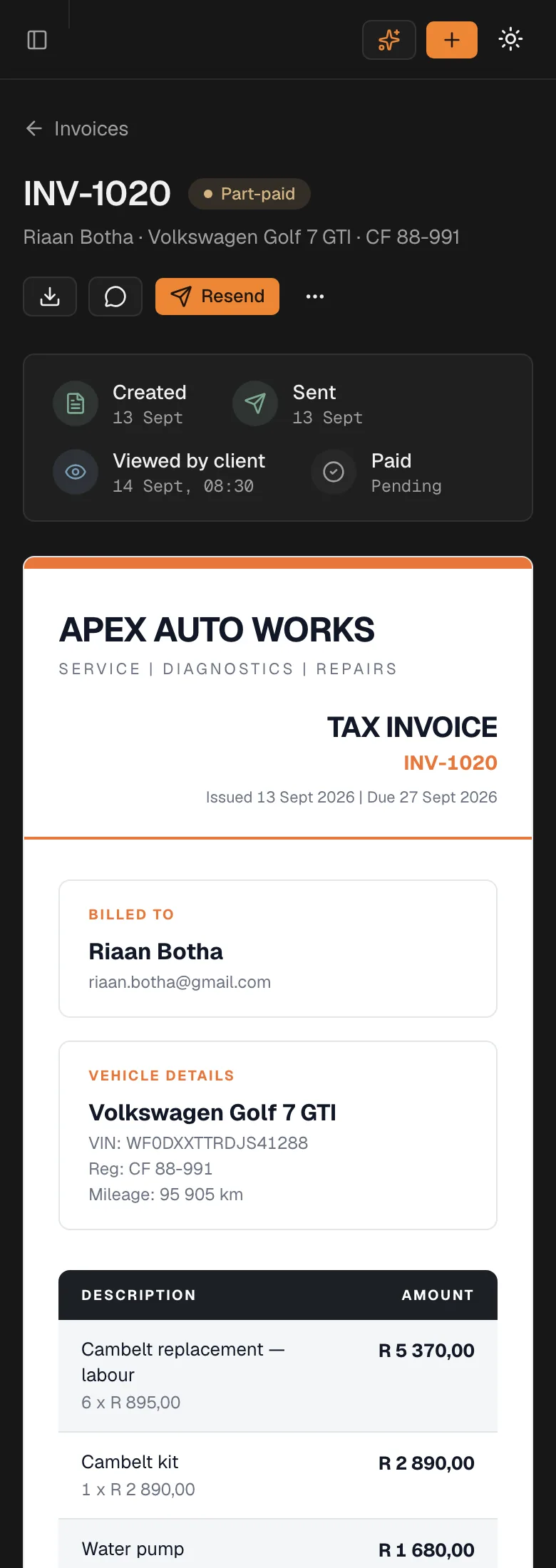
The same workshop, in your pocket.
Not a cut-down app — the whole thing, laid out for a phone. Quote from under the bonnet, invoice from the parts counter.
Switching
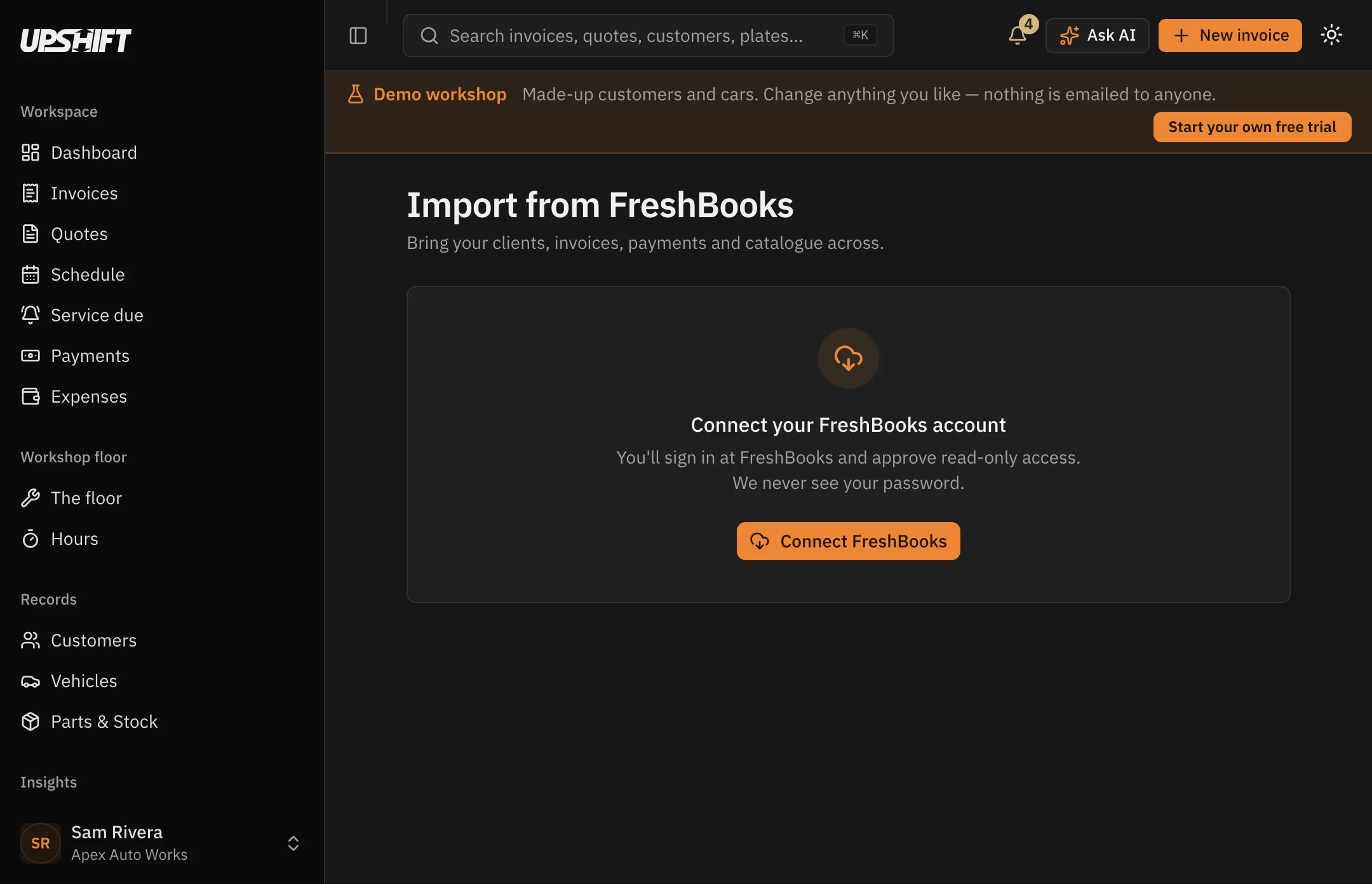
Bring everything across in one step.
Export from FreshBooks, drop the files in, and Upshift matches customers to invoices to payments for you. Nothing is retyped.
- Customers and their contact details
- Invoices with every line intact
- Payments matched to the right invoice
- Quotes and the cars they belong to
The workshop it was built with
Tuned 2 Race, Paarl
They run Upshift every day, and most of what is on this page started as something they asked for at the counter — the deposit request on a quote, the job card with no prices on it, being able to fix a payment recorded as the wrong method.
One workshop, named — rather than a wall of logos we have not earned.
Pricing
One price. Everything in it.
Per workshop — every user, every invoice, every car.
- Unlimited invoices & quotes
- Unlimited users
- Vehicles & service history
- Job cards
- Parts & stock control
- Deposits on quotes
- Open & delivery tracking
- Service reminders
- Reports, VAT & statements
- FreshBooks import
Cancel from settings at any time
Questions
- Is there a free trial?
- Yes — 14 days. A card is needed to start, but nothing is charged until the trial ends, and we tell you before it does.
- Can I cancel anytime?
- Yes, from your account settings, and you will not be billed again. The Refund & Cancellation Policy has the detail.
- Can I move my data across?
- Yes. Customers, invoices, payments, quotes and vehicles come over from FreshBooks in one guided step.
- How many users do I get?
- Your whole team. R799 is per workshop, not per person, and there is no cap on invoices.
- Is my data secure?
- Each workshop is isolated at the database level, on encrypted infrastructure, built with South African POPIA principles in mind. You can export everything at any time.

Change up.
Free for 14 days. Bring your data across in one step and be invoicing the same afternoon.
Export everything, any time — it is your data