Features
Every screen, as it really looks.
No mock-ups and no adjectives — these are screenshots of the running product, with the demo workshop’s own numbers in them. Open the demo and you land on exactly this.
Quotes
Price the job while they are still at the counter
A quote starts from the car, not a blank form. Type a plate and the vehicle, its owner and its history come with it.
Open quotes in the demo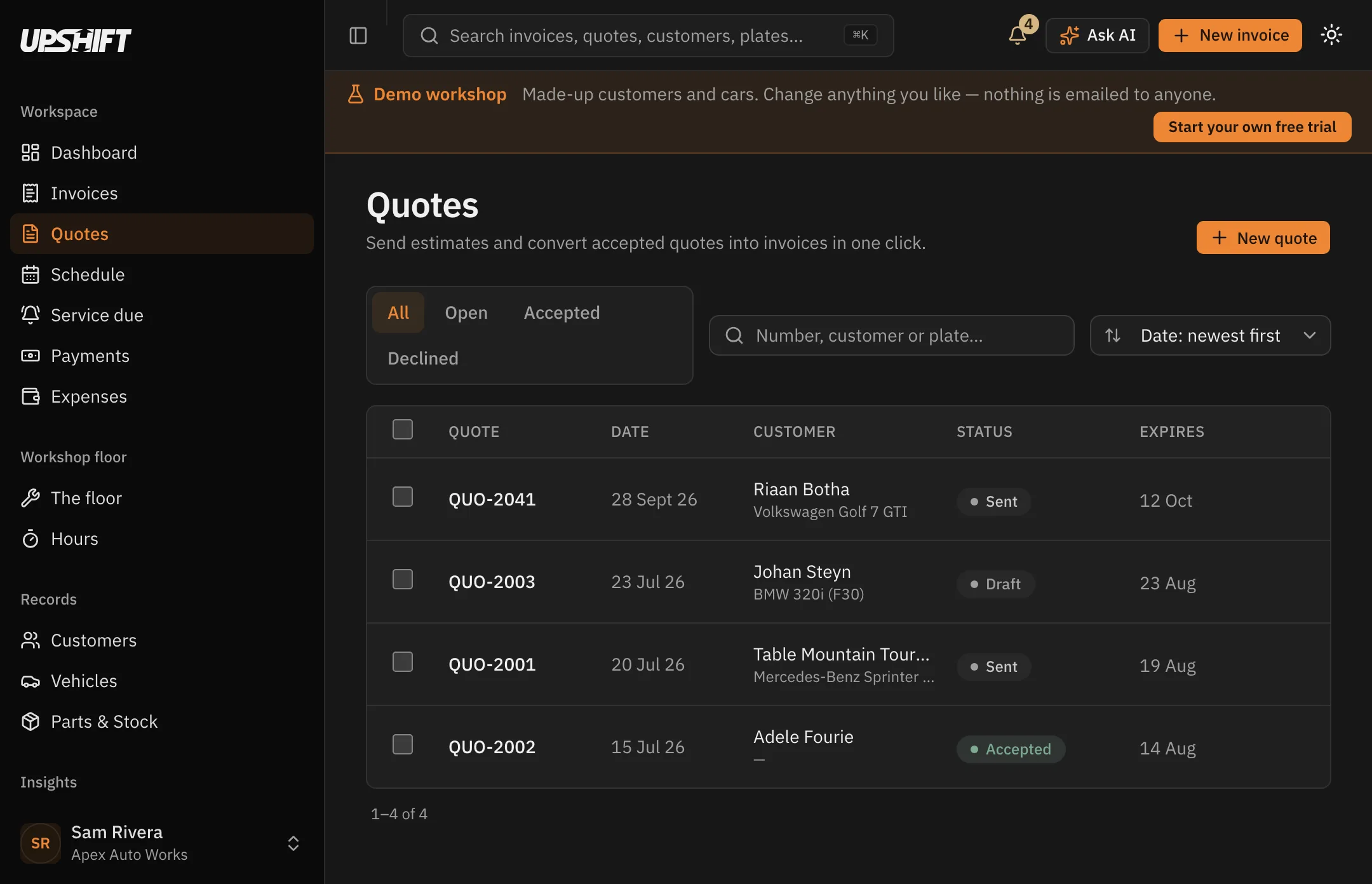
Build it line by line
Labour, parts, consumables, packages — in whatever order the work comes to you. Any line can carry its own notes, each on its own row.
Zero-price a line when it is goodwill or covered by a previous repair.
Ask for a deposit
Half before work starts, or a fixed amount for a big parts order. Set it as a percentage and it follows the quote when the lines change.
The deposit, the balance and your banking details all print on the quote.
Accepted turns into invoiced
One button carries the lines, the vehicle and the totals across. Nothing is retyped, so nothing is mistyped.
Already took the deposit? It asks, and the invoice shows what is genuinely still owed.
Invoices
A tax invoice, and a record of what happened to it
The document on the left, its whole life on the right: created, sent, opened, part-paid, settled — with the times against each.
Open an invoice in the demo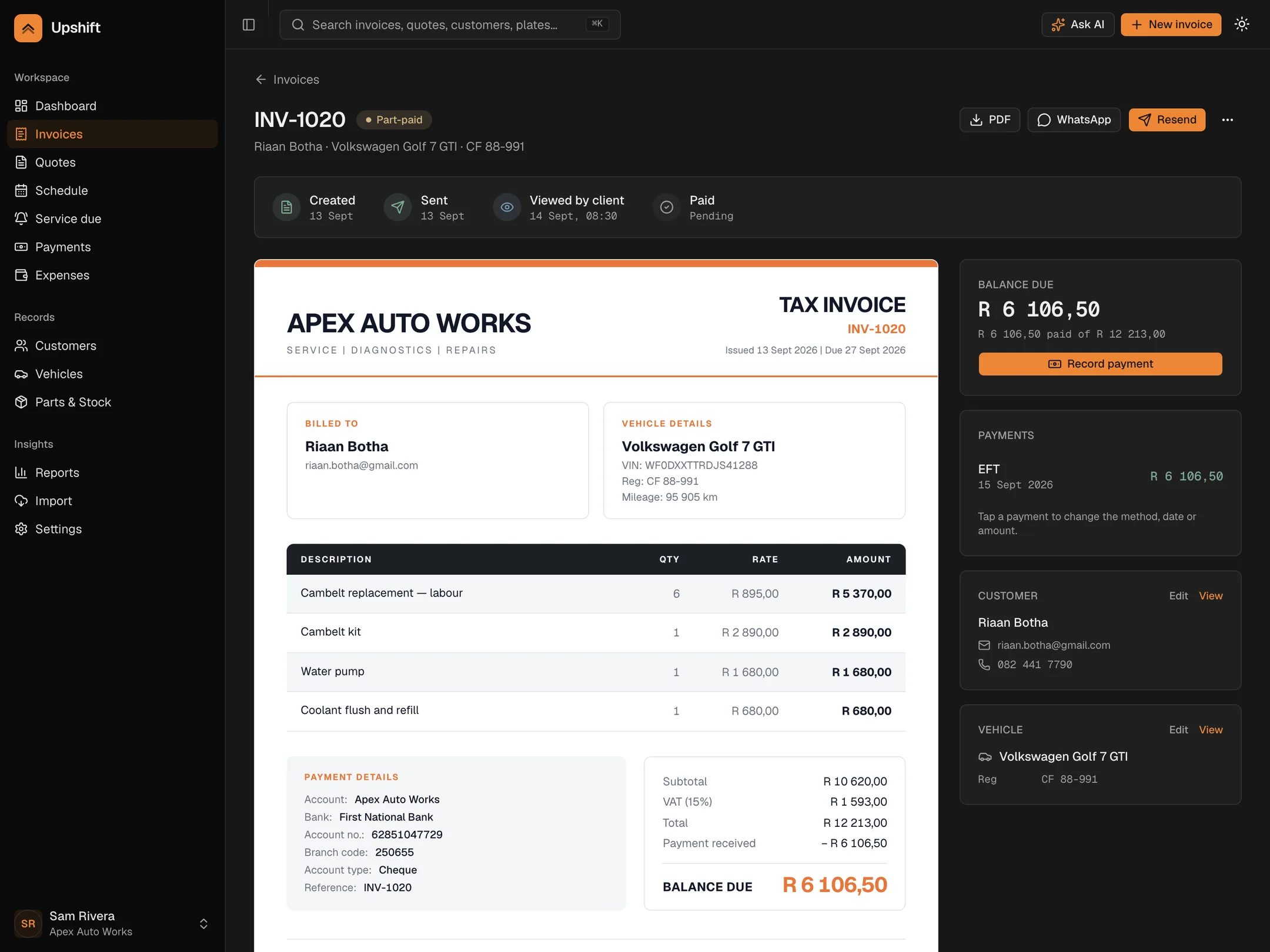
Proper SA tax invoice
Your VAT number, the customer, the vehicle and the registration, with VAT held at the rate that applied on the day it was issued.
Change your VAT rate later and old invoices keep the rate they were raised at.
Sent, and seen
Upshift records when the email was delivered and when the customer opened it, so you know whether silence means unpaid or unread.
A bounced address tells you, instead of disappearing quietly.
Print or PDF
Your logo, your accent colour and your letterhead on a document that fits A4 properly, every time.
The same document downloads as a vector PDF you can keep.
Everything on this page is one click away in the demo.
Payments
Every rand, against the right invoice
Cash, EFT, card or a part-payment. Record it against the invoice and the balance, the status and the reports all move together.
See payments in the demo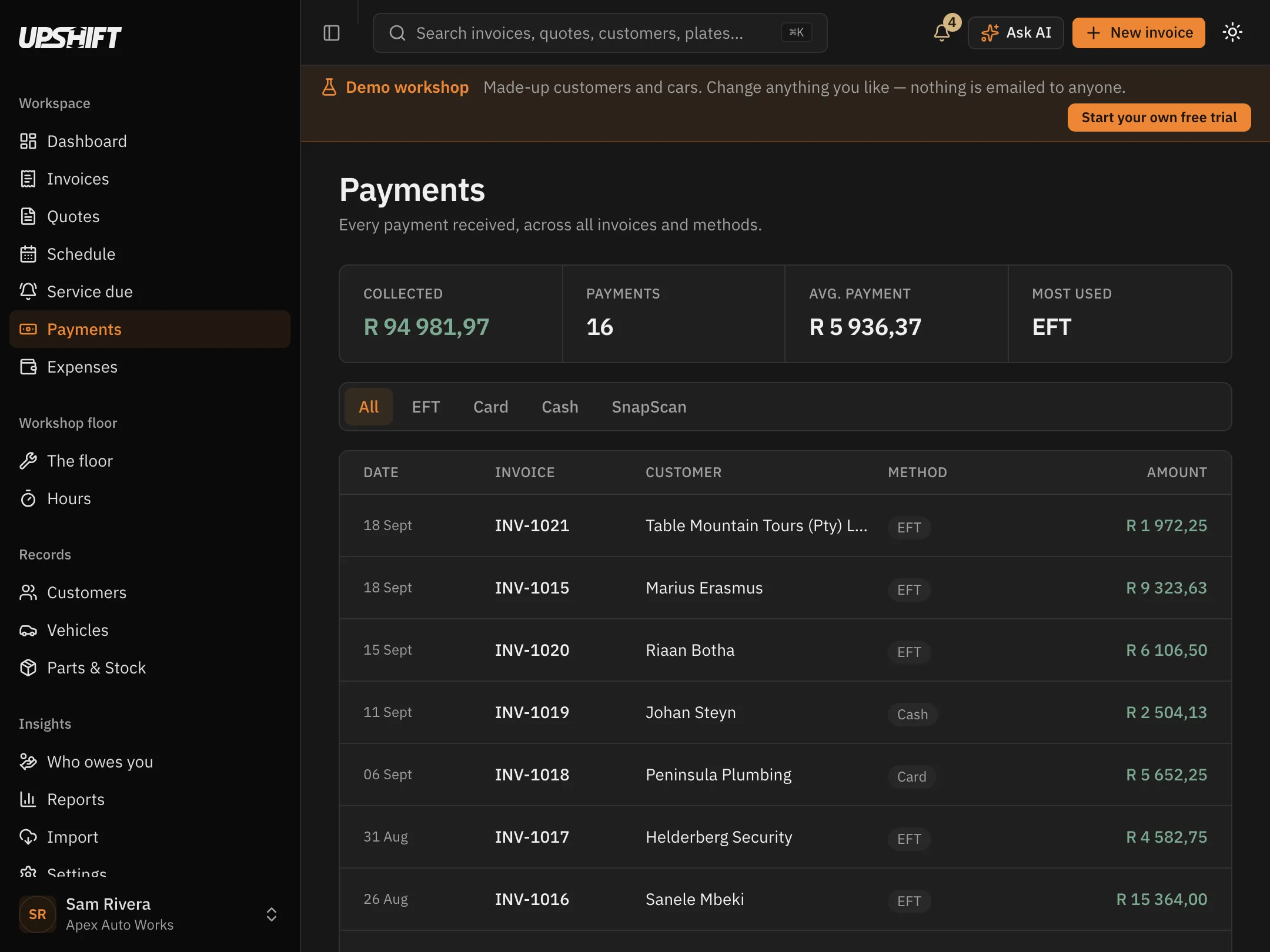
Fix a wrong method
Allocated it as EFT when it was cash? Open the payment, change the method, and the invoice corrects itself.
No credit note, no reversal, no phone call to the bookkeeper.
Part-payments are normal
Take a deposit, then the balance. The invoice shows part-paid and tells you exactly what is left.
The dashboard's outstanding total already knows.
Statements
A running-balance statement per customer — every invoice, every payment, what is owed — emailed or printed.
Fleet customers get one document instead of eleven.
Vehicles
The car is the record
Registration, VIN, colour, year and odometer, with every job ever done to it — and what its owner has spent with you.
Browse the cars in the demo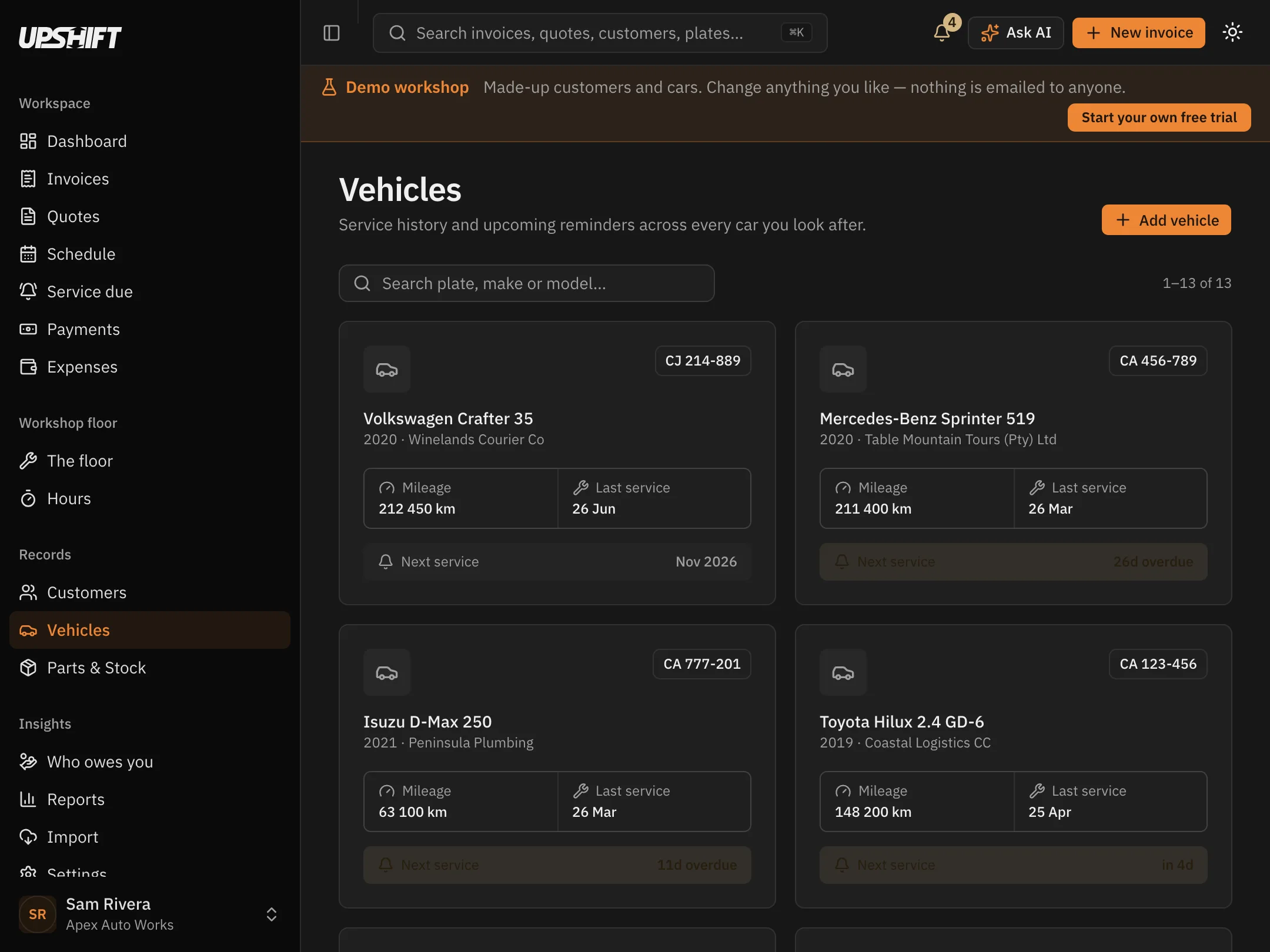
Search by plate
Type a registration anywhere in the app and the car, its owner and its history come up together.
Works from the invoice screen too, so you never leave what you are doing.
Odometer on every job
The reading you capture prints on the document, updates the vehicle, and teaches Upshift how fast the car is driven.
That is what makes kilometre-based service reminders possible.
One owner, many cars
A fleet customer's whole list sits under their name, each with its own history and its own next service.
Invoice the company, file the work against the van.
Schedule
Book the work in, then print the card
Accepted quotes become booked jobs on a calendar, each with a time, a technician and the car it belongs to.
See the schedule in the demo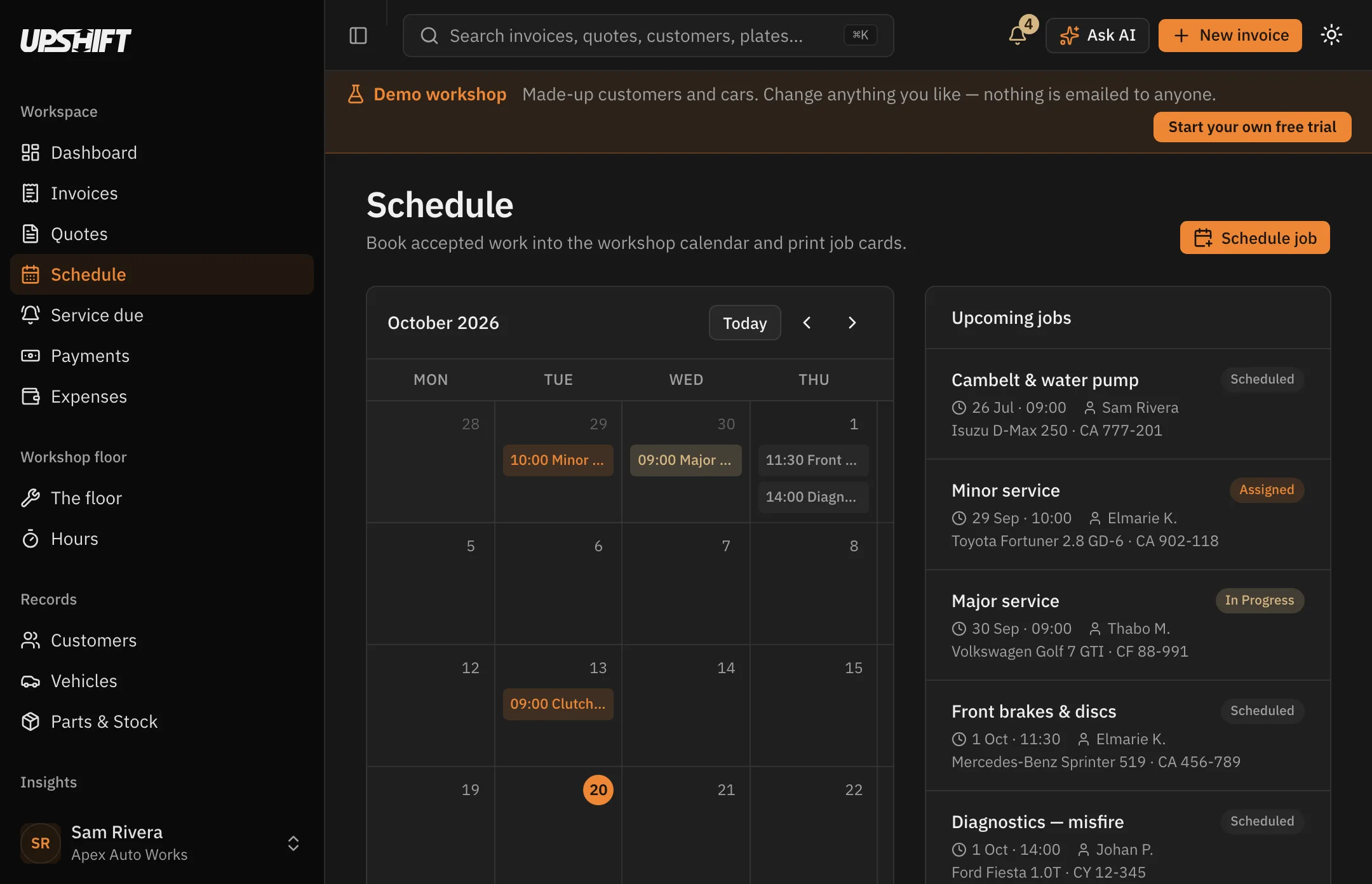
Who is on it
Put a technician's name against the job so the board says who is doing what, not just what is coming.
Scheduled, in progress and done are the only states — nothing to administer.
Straight from the quote
Schedule job sits on the quote itself, so accepting work and booking it are the same movement.
The job keeps the car and the customer with it.
Job cards
What the bench actually needs
The same job, printed without prices: parts to tick off, the odometer, blank lines for what the technician found, and a place to sign.
Print one from the demo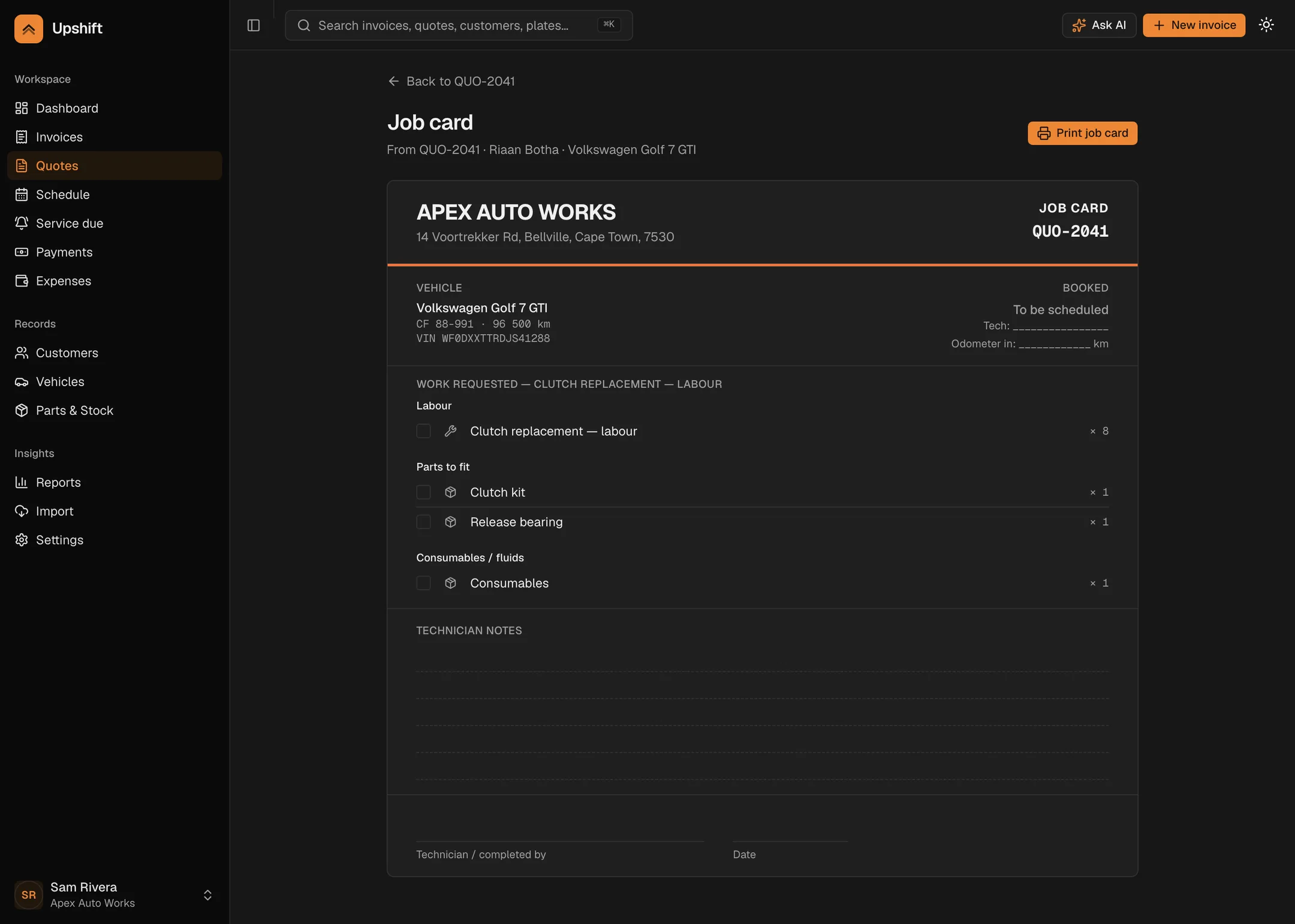
No rands on it
Your margins are not the technician's business, and a customer who wanders past the bench should not read them either.
Every part, every litre, every labour line — with a box to tick.
Room to write
Ruled lines for the things nobody quoted for: the perished bush, the weeping seal, the tyre that will not last.
Sign-off block with the date beside it, for the file.
R799 a month. 14 days free. Cancel from settings.
Parts & stock
Stock that comes off by itself
Parts leave the shelf as jobs complete. Oil is tracked by the litre in the drum. You get warned before you run out mid-service.
Check the shelves in the demo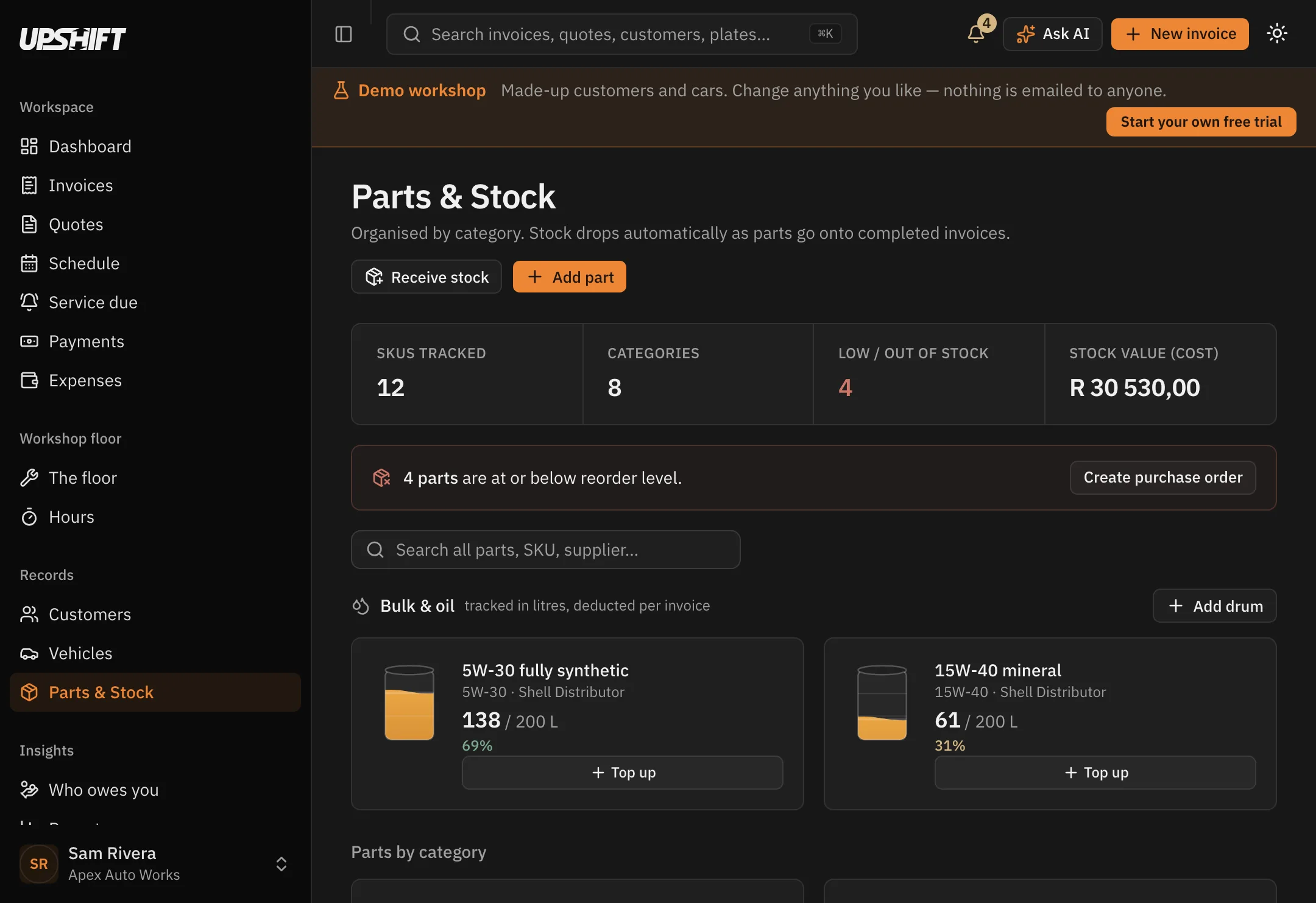
Oil by the litre
A drum is 200 litres, not 200 units. Put seven litres on an invoice and the drum shows what is left in it.
Top up a drum when the delivery arrives and the level goes back up.
Reorder levels
Set the point at which a part counts as low. Upshift flags it on the dashboard before it becomes a problem.
Turn the whole shortfall into a purchase order in one click.
Cost and sell
Hold both, so the stock value is real and the margin on a job is not a guess.
Receive stock at a new cost and it follows through.
Service reminders
Bring them back, by date or by kilometres
Upshift works out how fast each car is actually driven from the odometer readings you capture, and predicts when the next service is due.
See what is due in the demo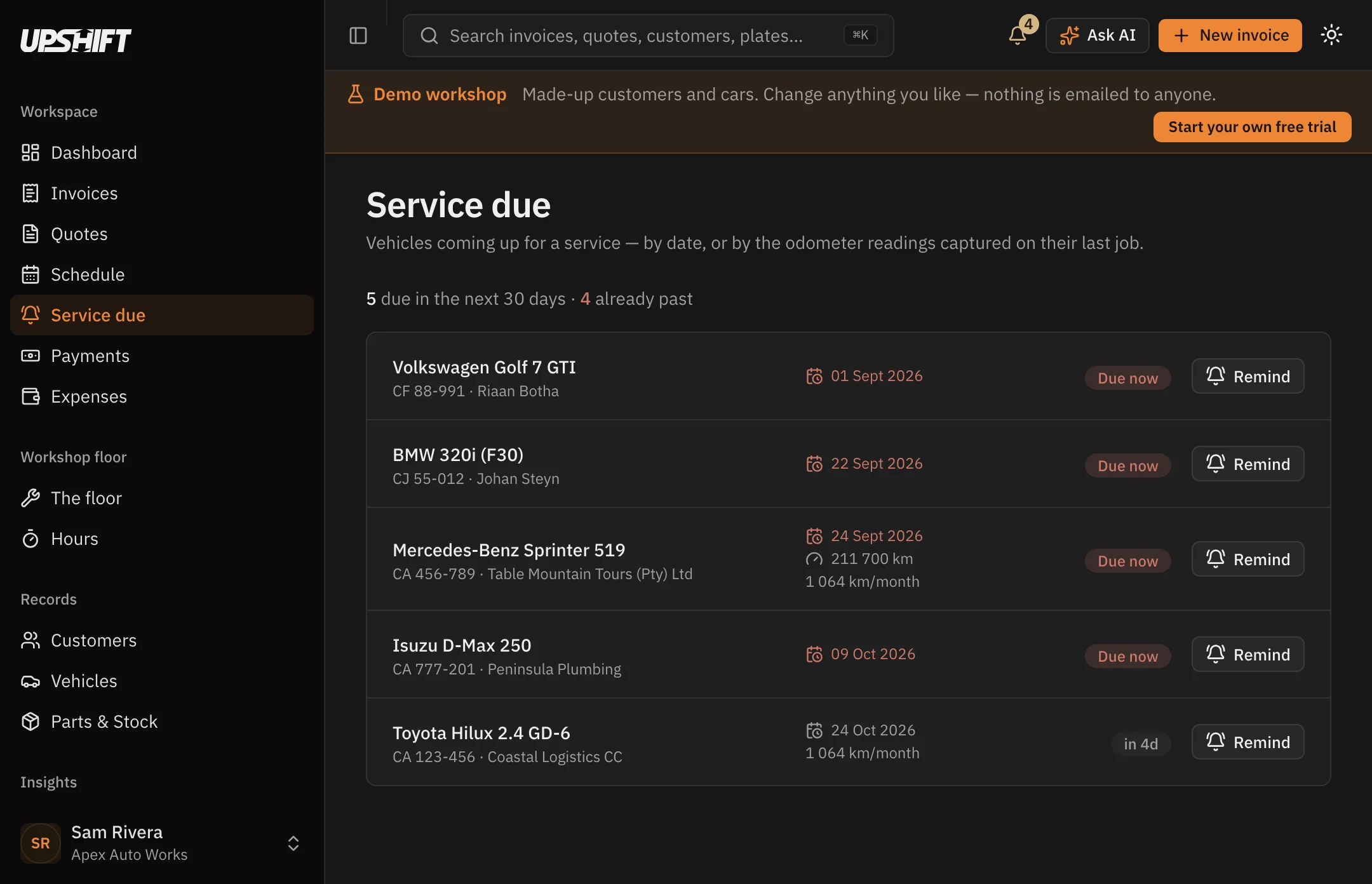
Off until you say so
The day software starts emailing your customers in your name should be a decision you made, not a default you discovered.
Switch it on per workshop, in Settings.
In your name
Your workshop's name, your logo, your colours, and replies come back to your own inbox.
One reminder per car, never a second one by accident.
Or just a list
Leave the emails off and use the Service due page as a call list. Press Remind on the ones you choose.
The vehicle records when it was last reminded.
Reports
The numbers, for any period you pick
Invoiced, collected, expenses and what is left. Aged receivables, your best customers, and where you stand on VAT.
Open the reports in the demo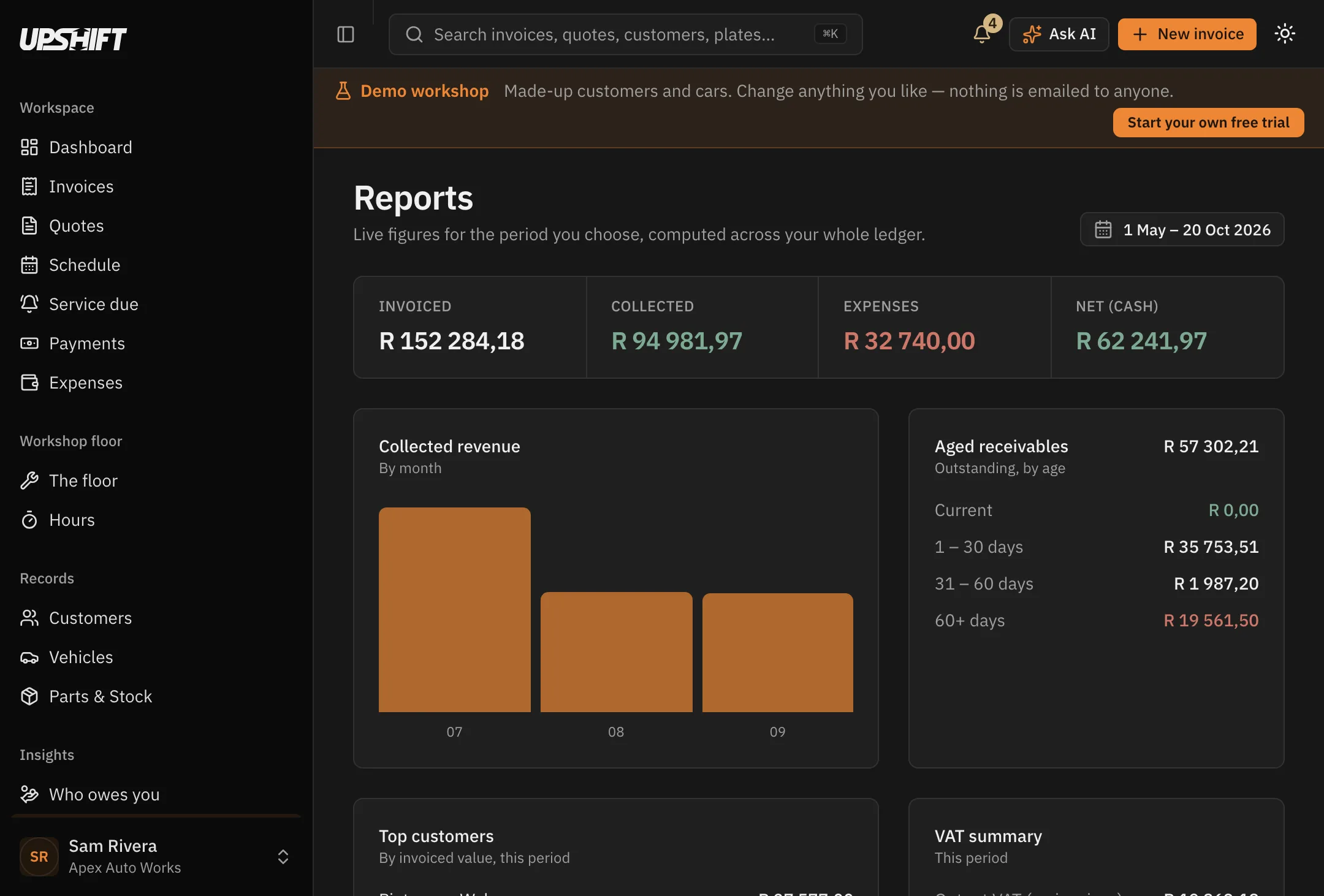
Aged receivables
Current, 1–30, 31–60 and 60+ days, so you can see whether the problem is one customer or the whole book.
Click a band and go straight to those invoices.
VAT in both directions
Output VAT on what you invoiced, input VAT on what you spent, and the net position for the period.
Every document keeps the VAT rate it was raised at.
Your accountant's copy
Export invoices, payments and expenses as CSV, at the period boundaries they actually ask for.
It is your data — take it whenever you like.
Your workshop
It looks like your business, not like ours
Your logo, your accent colour, your banking details and your terms — on every quote, invoice, statement and reminder that leaves the building.
Look around the settings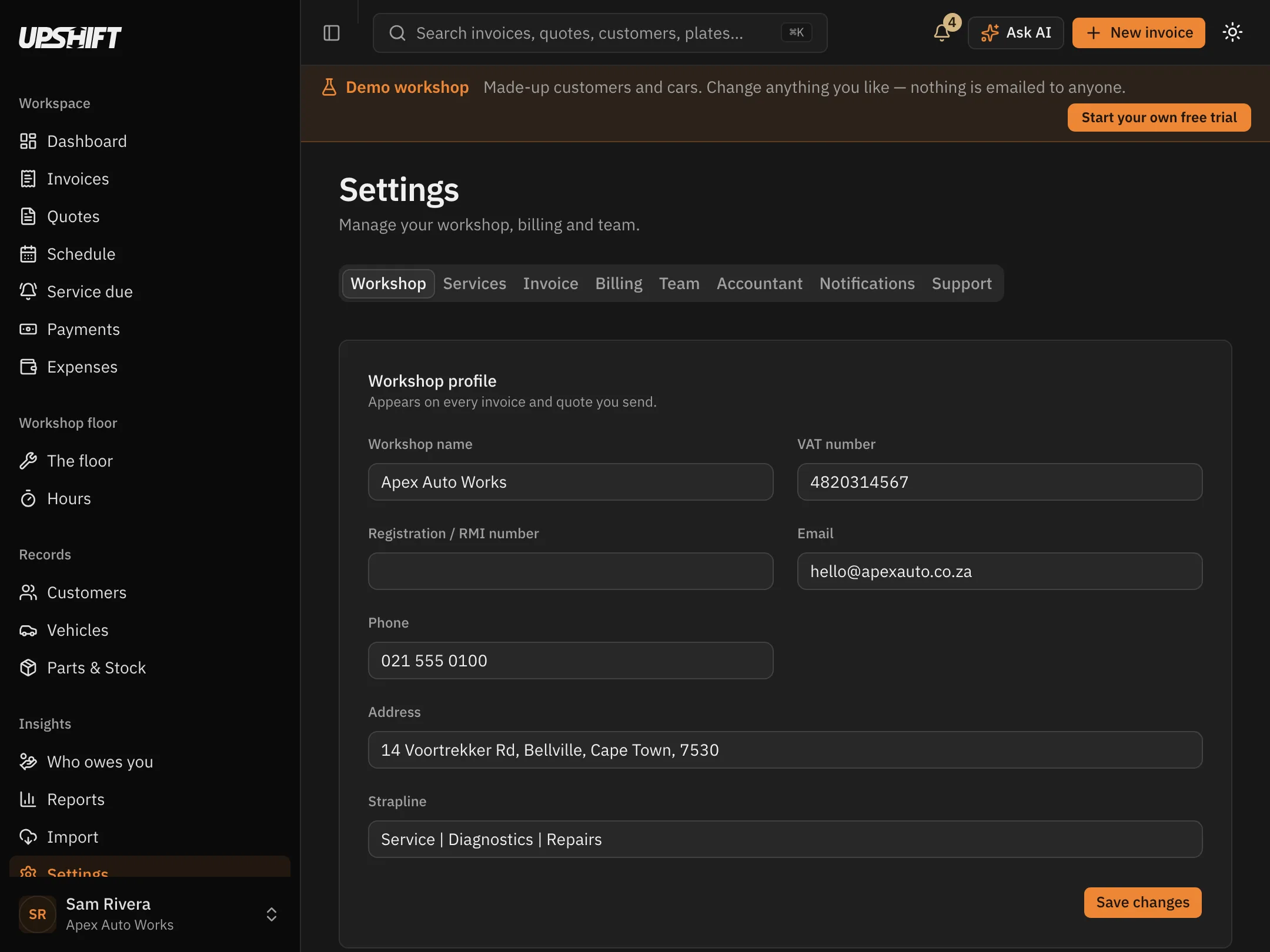
Your whole team
Everyone at the workshop gets their own login. The price is per workshop, not per person.
Invite by email; they set their own password.
Your banking details
Account name, number, branch code and reference print on the invoice, so a customer can pay without phoning to ask.
Set a default reference format once.
Your terms
Payment terms, warranty wording and anything else that should be on the document, held once and applied everywhere.
Per-document notes still override it when a job is unusual.
Change up.
Free for 14 days. Bring your data across in one step and be invoicing the same afternoon.